
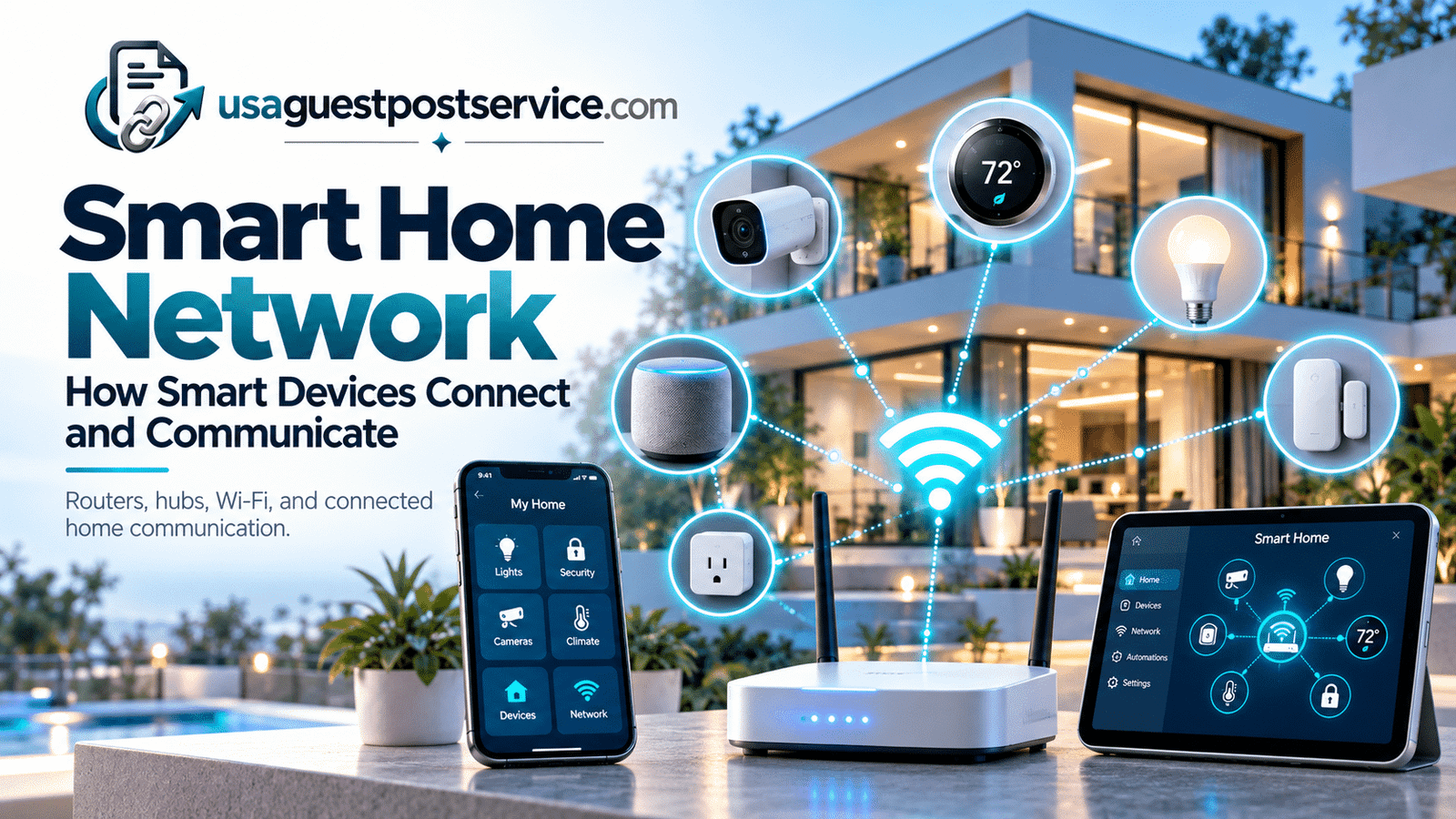
A smart home network is the communication foundation that allows connected devices, controllers, apps, hubs, and other smart-home technologies to exchange information.
Without reliable connectivity, even capable smart devices can become difficult to manage. A camera may lose remote access, a sensor may fail to report an event, or a connected thermostat may respond inconsistently if its communication path is weak or unsupported.
The network does not necessarily mean every device connects directly to the same router. Some products use Wi-Fi, while others communicate through hubs, bridges, controllers, or other supported wireless technologies before reaching a broader smart-home platform.
A smart home network can support both local device communication inside the home and internet-based communication with external services.
Understanding these relationships is useful because smart-home reliability often depends as much on communication design as on the devices themselves.
For readers who need a broader overview of the technology layers behind connected homes, our guide to smart home technology explains devices, sensors, connectivity, platforms, and related technologies in more detail.
This guide focuses specifically on smart home networks: how devices communicate, what a router does, where hubs and bridges fit, what affects network reliability, and what homeowners should consider when planning connectivity for a growing connected home.
What Is a Smart Home Network?
A smart home network is the communication environment that allows compatible smart devices and control systems to send and receive information.
That communication may happen directly over a home network or through other technologies that connect back to a platform, hub, controller, or internet service.
A simple way to understand the structure is:
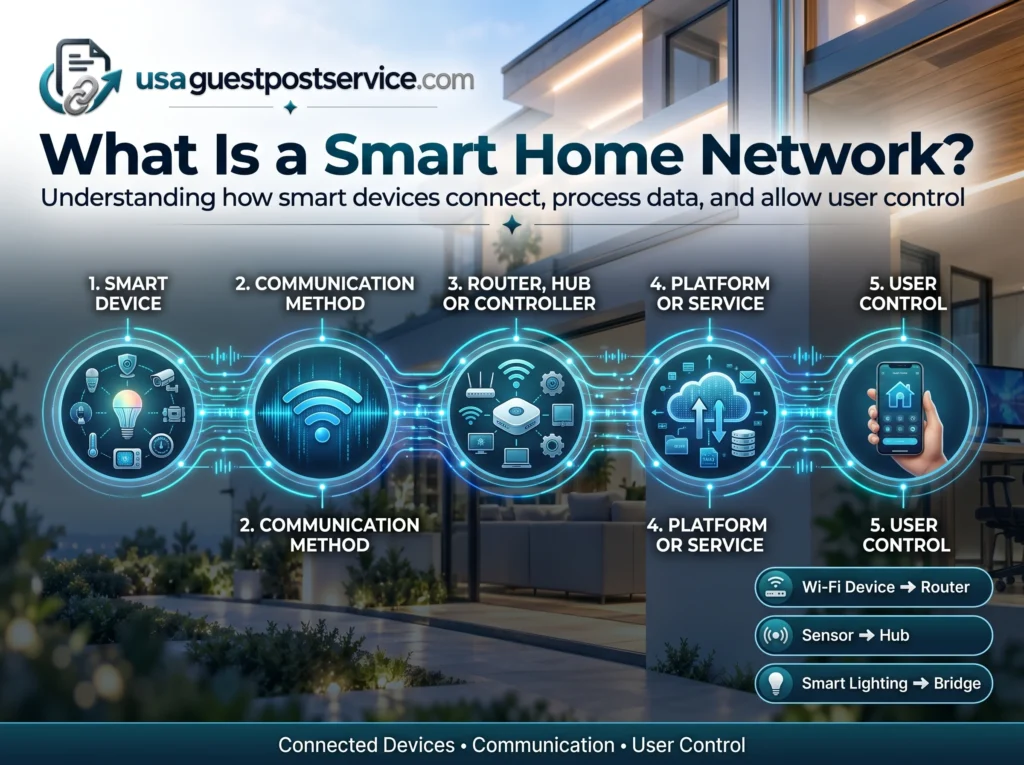
Smart Device → Communication Method → Router, Hub or Controller → Platform or Service → User Control
Not every device follows this exact path.
A Wi-Fi camera may communicate directly with the home’s wireless network.
A sensor may communicate first with a dedicated hub.
A smart lighting product may use a bridge that connects the lighting network to the home’s broader network.
The important point is that a connected home depends on communication pathways.
A smart home network therefore includes more than the router itself. It can involve:
- the home network
- wireless coverage
- routers and access points
- hubs and bridges
- controllers
- smart devices
- mobile applications
- local or cloud-based services
How these components work together depends on the products being used.
How Do Smart Home Devices Communicate?
Smart home devices communicate by sending information through supported wired or wireless technologies.
The communication method depends on the product.
Some devices connect directly to Wi-Fi. Others use dedicated low-power communication technologies and rely on a hub or bridge to connect with the rest of the smart home.
The process can be simplified into three stages.
Device Communication
The device first sends or receives information through the communication technology it supports.
For example, a smart sensor may report that motion has been detected.
A connected light may receive a command to turn on.
A thermostat may send temperature information to an application or platform.
Network or Controller Coordination
That information may move through a router, hub, bridge, controller, or another supported communication layer.
This is where different smart-home architectures can look very different.
Some devices communicate directly with a cloud service through the home router.
Others communicate locally with a hub, which then passes information to a broader platform.
User or System Response
The information can then be presented to a homeowner or used by another compatible system.
A user might receive a notification, see device status in an application, or issue a command.
In other cases, a connected system may use the information to support a predefined response.
The important concept is that smart devices do not communicate through one universal method.
Different products can use different communication paths, and those paths need to be compatible with the system they are expected to join.
The Role of a Router in a Smart Home Network
A router is one of the most important parts of many smart home networks because it manages communication between the home network and other connected services.
For Wi-Fi-based devices, the router may provide the direct network connection they rely on.
Examples can include cameras, smart speakers, displays, appliances, and other Wi-Fi-enabled products.
The router also helps devices reach internet-based services when those features require external connectivity.
However, a router should not be confused with a smart home controller.
A router primarily manages network communication.
A smart home controller or hub may coordinate compatible devices, integrations, or automation.
Some systems may combine several functions, but the roles are conceptually different.
What Makes a Good Router for a Smart Home?
There is no single router that is automatically best for every smart home.
The right choice depends on the number of connected devices, size of the property, network layout, internet requirements, and the types of smart products being used.
The most important consideration is reliable coverage.
A router with strong performance near one room may still provide a poor experience if cameras, sensors, speakers, or other devices are installed in areas with weak signal.
Capacity also matters as a network grows.
A household may already have phones, computers, televisions, tablets, gaming devices, and other connected equipment before smart-home products are added.
The router must manage all of that traffic while maintaining stable communication.
For larger homes, additional access points or a mesh-style network architecture may provide more consistent coverage than relying on a single router placed at one end of the property.
The best smart home router is therefore not simply the one with the highest advertised speed. Coverage, reliability, device capacity, security support, and network management can be equally important.
Wi-Fi and Other Smart Home Communication Technologies
Wi-Fi is widely used in connected homes, but it is not the only communication technology involved.
Different technologies are designed for different purposes.
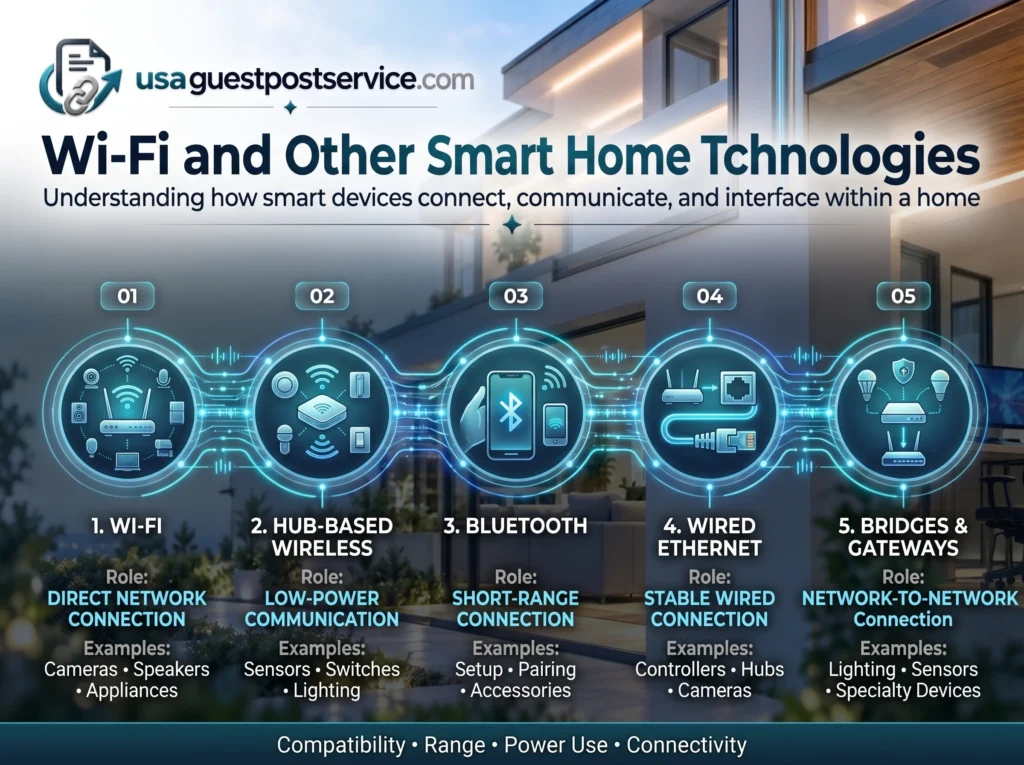
| Communication Type | Typical Role | Common Use |
| Wi-Fi | Direct network and internet connectivity | Cameras, speakers, displays, appliances |
| Hub-based wireless communication | Low-power device communication | Sensors, switches, lighting |
| Bluetooth | Short-range device connection or setup | Setup, local control, accessories |
| Wired Ethernet | Stable network connection | Controllers, hubs, cameras, network equipment |
| Bridges/Gateways | Connect one device network to another | Lighting systems, sensors, specialty devices |
The exact communication technology matters because it affects compatibility, range, power use, and how the device connects to the wider system.
Wi-Fi Devices
Wi-Fi devices connect directly to the home’s wireless network.
This can make installation straightforward because no separate hub is required for basic communication.
However, large numbers of Wi-Fi devices can increase network demands.
Wi-Fi devices may also depend more heavily on router placement and signal coverage than products using dedicated hubs.
Hub-Based Devices
Some smart devices communicate with a dedicated hub rather than connecting directly to Wi-Fi.
This is common with certain sensors, switches, lighting products, and other low-power devices.
The hub then connects those devices to a broader smart-home platform or network.
This architecture can reduce the number of devices communicating directly with the router.
It can also allow products designed for low-power communication to operate efficiently.
Bluetooth and Short-Range Connections
Bluetooth may be used for setup, local communication, device pairing, or specific accessories.
It is generally designed for shorter distances than a typical home Wi-Fi network.
Some products use Bluetooth only during initial configuration, while others use it for ongoing local control.
Wired Connections
Wired Ethernet can provide a stable connection for certain smart-home components.
Hubs, controllers, security equipment, network access points, or other infrastructure devices may benefit from wired connectivity where practical.
Wired connections can reduce dependence on wireless signal quality for critical network components.
Hubs, Bridges and Gateways in Smart Home Connectivity
Hubs, bridges, and gateways can help connect smart devices that do not communicate directly with the home’s Wi-Fi network.
These terms are sometimes used differently by manufacturers, but their general roles can be understood separately.
A hub often connects and coordinates supported devices.
A bridge can help connect one device network with another.
A gateway may translate or route communication between different systems or networks.
One product may perform more than one of these functions.
For example, a lighting bridge may communicate with a group of lights while also connecting that lighting system to the home’s broader network.
These components are especially important in connected home systems that use several communication technologies.
They should not be viewed as unnecessary extra hardware by default.
In some systems, a hub or bridge can improve organization, reduce direct Wi-Fi dependence, or enable devices that would otherwise be unable to communicate with the wider smart home.
How Connected Home Systems Work Together
A smart home network becomes more important as the number of connected systems increases.
A small home may only have a few independent Wi-Fi devices.
A larger connected home may include lighting, security, climate control, sensors, entertainment systems, appliances, hubs, controllers, and multiple applications.
These systems do not all need to communicate directly with one another.
Instead, the technologies that need to interact require supported communication paths.
For example:
A sensor may communicate with a hub.
The hub may communicate with a smart-home platform.
The platform may provide control through an application.
Another compatible system may then use selected information or commands through a supported integration.
This is where networking and integration meet.
Networking provides the communication infrastructure.
Integration determines whether different systems can actually exchange useful information or participate in the same control environment.
For a deeper explanation of how compatible technologies work together beyond the network layer, our guide to home technology integration covers those relationships separately.
Common Smart Home Network Problems
Many smart-home problems are not caused by the device itself.
They can be caused by weak connectivity, poor coverage, network congestion, incompatible systems, or unreliable communication paths.
Weak Wireless Coverage
A device located far from the router or behind several walls may experience a weak signal.
This can cause delayed responses, dropped connections, or inconsistent remote access.
Cameras and devices installed around exterior walls can be especially sensitive to coverage limitations.
Too Many Devices on the Network
Modern homes can have a large number of connected products.
Phones, televisions, computers, smart speakers, cameras, appliances, and other devices may all share network resources.
The issue is not simply the number of devices but whether the network equipment can manage them efficiently.
Poor Router Placement
Router placement can influence wireless coverage across the home.
Placing a router inside a cabinet, behind large objects, or at one edge of a large property may reduce signal quality in important areas.
Central placement may improve coverage in some homes, although every property is different.
Incompatible Communication Methods
A device may support one communication technology while the homeowner’s existing system expects another.
This can create the impression that the device is malfunctioning when the real problem is compatibility.
Dependence on Cloud Services
Some connected devices depend on external cloud services for important features.
If internet connectivity or the service itself becomes unavailable, certain functions may stop working even though the local home network remains active.
Other devices may retain more local functionality.
Homeowners should understand which features depend on internet access and which can continue operating locally.
Smart Home Connectivity: Local Network vs Internet Connection
A smart home network and an internet connection are related but not identical.
The local network allows devices inside the home to communicate through routers, access points, controllers, and other network equipment.
The internet connection provides access to external services.
Some smart-home functions depend heavily on internet access.
Examples may include:
- remote control while away from home
- cloud-based video access
- account services
- certain voice-assistant functions
- external notifications
- software or firmware updates
Other functions may operate locally depending on the product.
For example, some controllers or hubs may continue managing compatible devices even when internet access is unavailable.
This distinction matters because a smart home can have a strong local network while temporarily losing internet connectivity.
Homeowners should understand which functions continue to work under those conditions.
How to Plan a Reliable Smart Home Network
Planning becomes increasingly important as more connected devices are added.
A small setup may work well with an existing router and minimal preparation.
A larger connected home may benefit from a more deliberate network design.
Smart home network installation is less about installing one specific device and more about placing network equipment, checking coverage, and making sure connected products have reliable communication paths.
A useful planning checklist includes:
- identify where connected devices will be installed
- check wireless coverage in those areas
- understand which devices use Wi-Fi and which require hubs or bridges
- keep important infrastructure devices in reliable network locations
- verify compatibility before purchasing products
- consider future expansion rather than only current device count
- review privacy and network-security settings
Map Device Locations
Think about where cameras, speakers, thermostats, sensors, control panels, appliances, and other connected devices will be located.
A network that works well in a living room may not provide the same performance in a garage, outdoor entrance, or upper floor.
Check Coverage Before Expanding
Do not assume high internet speed means every part of the property has strong wireless coverage.
Internet speed measures the connection to the service provider.
Wireless coverage measures how effectively devices communicate with the local network.
Both matter, but they solve different problems.
Understand Device Requirements
Before purchasing a device, check whether it connects through Wi-Fi, a hub, a bridge, wired Ethernet, or another technology.
This can prevent unexpected hardware requirements after the product is installed.
Plan for Growth
A smart home network may begin with only a few devices.
Over time, homeowners may add cameras, lighting, climate controls, sensors, entertainment systems, or other connected products.
Planning for realistic future growth can reduce the need to redesign the network later.
For readers moving from network planning into a broader implementation process, our guide on how to set up a smart home covers device planning and system setup in greater detail.
Network Security and Privacy Considerations
Smart home connectivity also introduces security and privacy considerations.
Connected devices may communicate with local networks, manufacturer services, mobile applications, or cloud platforms.
Homeowners should use supported security features and review the access each device requires.
Important considerations include account security, router settings, software updates, and device permissions.
Default passwords should be changed where applicable.
Strong, unique account credentials can reduce unnecessary risk.
Routers and connected devices should also receive supported security updates when available.
Homeowners may also want to review which devices have access to microphones, cameras, location information, or other sensitive functions.
Security should be treated as part of network planning rather than as something added only after the smart home has grown.
Do Smart Home Devices Need a Special Network?
Not every smart home requires a separate or specialized network.
A small number of connected devices may operate effectively on a typical home network.
As the system grows, however, network organization can become more important.
Some homeowners may use separate network segments for selected connected devices. Guest-style networks can also be useful in some setups, but their isolation settings may prevent certain smart devices from discovering or communicating with local controllers, hubs, or phones. The network design should therefore match the communication requirements of the devices being used.
Others may simply maintain one well-managed network.
There is no single architecture that every homeowner must use.
The right approach depends on technical skill, device requirements, security goals, and the complexity of the connected environment.
The most important requirement is that the network remains reliable, manageable, and appropriately secured.
Frequently Asked Questions About Smart Home Networks
What is a smart home network?
A smart home network is the communication environment that allows compatible connected devices, routers, hubs, controllers, platforms, and applications to exchange information.
It may include both local network communication and internet-based services.
How do smart home devices communicate?
Smart home devices communicate through supported technologies such as Wi-Fi, wired networking, Bluetooth, hub-based wireless communication, or other compatible protocols.
Some connect directly to the router, while others communicate through hubs, bridges, or controllers.
Do smart devices communicate with each other directly?
Sometimes, but not always.
Some devices can communicate directly, while others exchange information through a hub, platform, controller, or cloud service.
The communication path depends on the product and ecosystem.
Do I need a special router for a smart home?
Not necessarily.
A standard modern router may be sufficient for a small connected home.
Larger systems may benefit from better coverage, higher device capacity, additional access points, or other network improvements.
What is the best router for smart home devices?
There is no universal best router.
A suitable router should provide reliable coverage, support the number of devices in the household, offer appropriate security features, and match the home’s size and network requirements.
Why do smart devices keep disconnecting?
Possible causes include weak wireless coverage, router placement, network congestion, device software issues, incompatible settings, or problems with external services.
The cause should be identified before replacing equipment.
Do smart home devices work without the internet?
Some functions may work without internet access, while others depend on cloud services or external connectivity.
The answer depends on the device and how the system is designed.
What is it called when smart devices communicate with each other?
The broader concept may be described as device communication, interoperability, connectivity, or integration depending on the context.
In a smart home, devices typically communicate through supported networks, platforms, hubs, or controllers rather than through one universal system.
Is a smart home network the same as home automation?
No.
A smart home network provides communication between connected devices and systems.
Home automation uses compatible connected technologies to perform selected actions automatically.
The network supports communication, while automation determines what certain systems do with that communication.
Conclusion: Build Smart Home Connectivity Around Reliability
A smart home network provides the communication foundation that allows connected devices and control systems to function together.
Routers, wireless coverage, hubs, bridges, controllers, and communication technologies all play different roles within that environment.
Some devices connect directly to Wi-Fi. Others depend on dedicated hubs or bridges. Certain functions operate locally, while others rely on internet-based services.
The most important goal is not to create the most technically complicated network.
It is to provide reliable connectivity where devices need it, understand how products communicate, verify compatibility, and plan for realistic future expansion.
A well-planned smart home network makes connected technology easier to manage because the communication layer remains stable, understandable, and appropriate for the devices being used.