
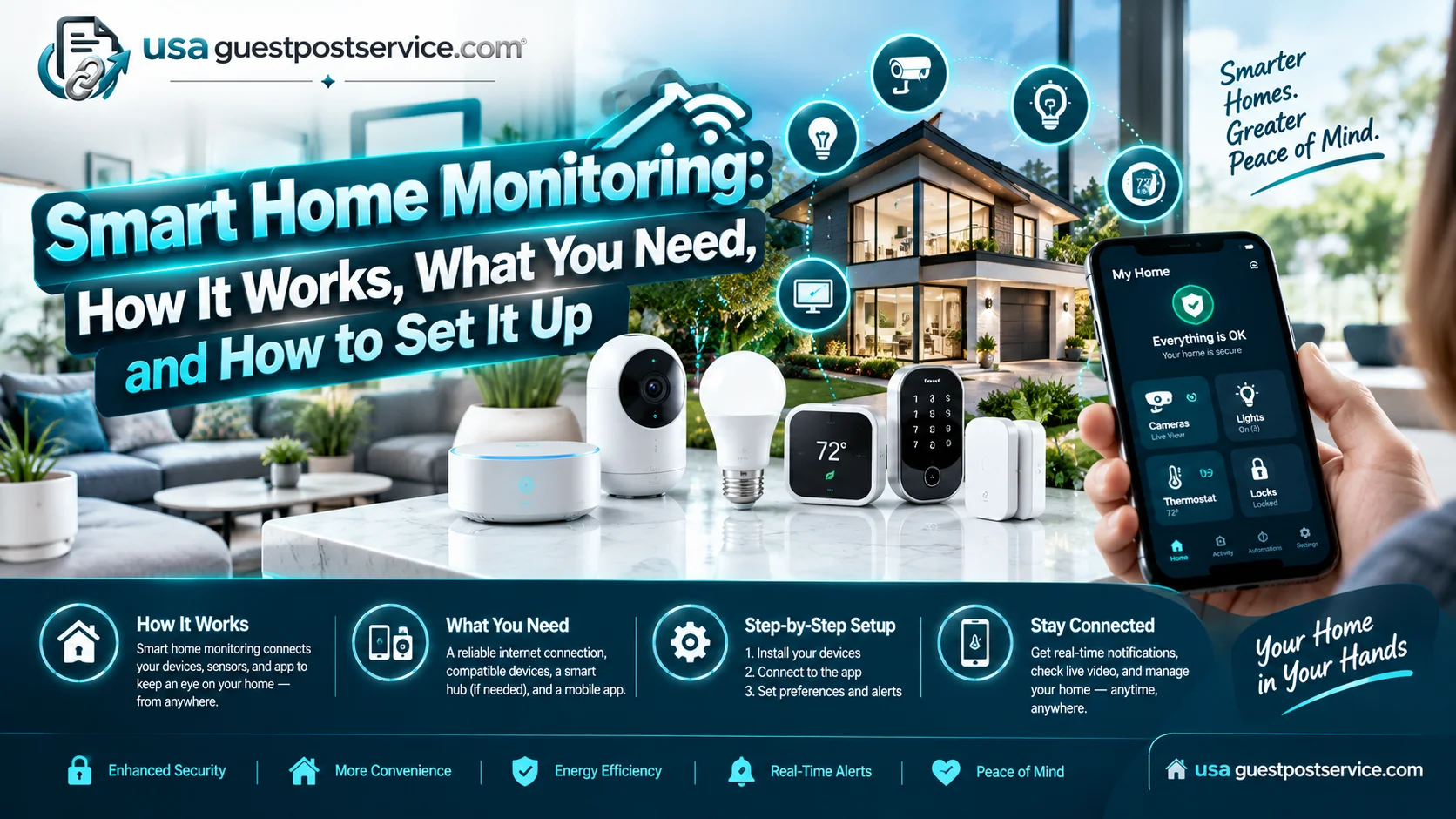
Smart home monitoring uses connected devices to detect activity, communicate information, send alerts, and support a response. A monitoring setup may include cameras, motion sensors, door and window sensors, alarms, smart locks, a mobile app, and other compatible devices.
The important distinction is that a smart security device is not necessarily a complete monitoring system, and a monitoring system is not the same thing as a professional monitoring service. A camera may detect activity, for example, while the broader monitoring setup determines how that event is communicated, who receives the alert, and what happens next.
For most homeowners and renters, choosing a smart home monitoring approach comes down to four questions: What do you need to monitor? How will the system communicate an event? Who will respond to alerts? And can you install and maintain the setup reliably?
What Is Smart Home Monitoring?
Smart home monitoring is the use of connected security devices and software to detect activity or conditions around a home, communicate that information, and notify someone who can decide whether action is needed.
A monitoring setup may use:
- Security cameras
- Motion sensors
- Door and window sensors
- Video doorbells
- Smart locks
- Alarm devices
- A mobile app
- A hub or control panel, depending on the system
- Wi-Fi, wired networking, cellular communication, or another supported connection, depending on the system
Not every setup requires every component.
The purpose of each device also differs. A camera provides visual information. A door sensor detects an entry event. A motion sensor detects movement in a monitored area. An alarm can produce a local warning. A mobile application may provide notifications or remote controls.
This distinction matters because monitoring is a workflow, not simply a list of devices.
For example, a door sensor might detect that a protected door opened. The monitoring setup then needs a way to communicate that event, deliver an appropriate notification, and establish who will decide what to do.
Self-monitoring and professional monitoring are two different ways of handling that responsibility.
How Smart Home Monitoring Works
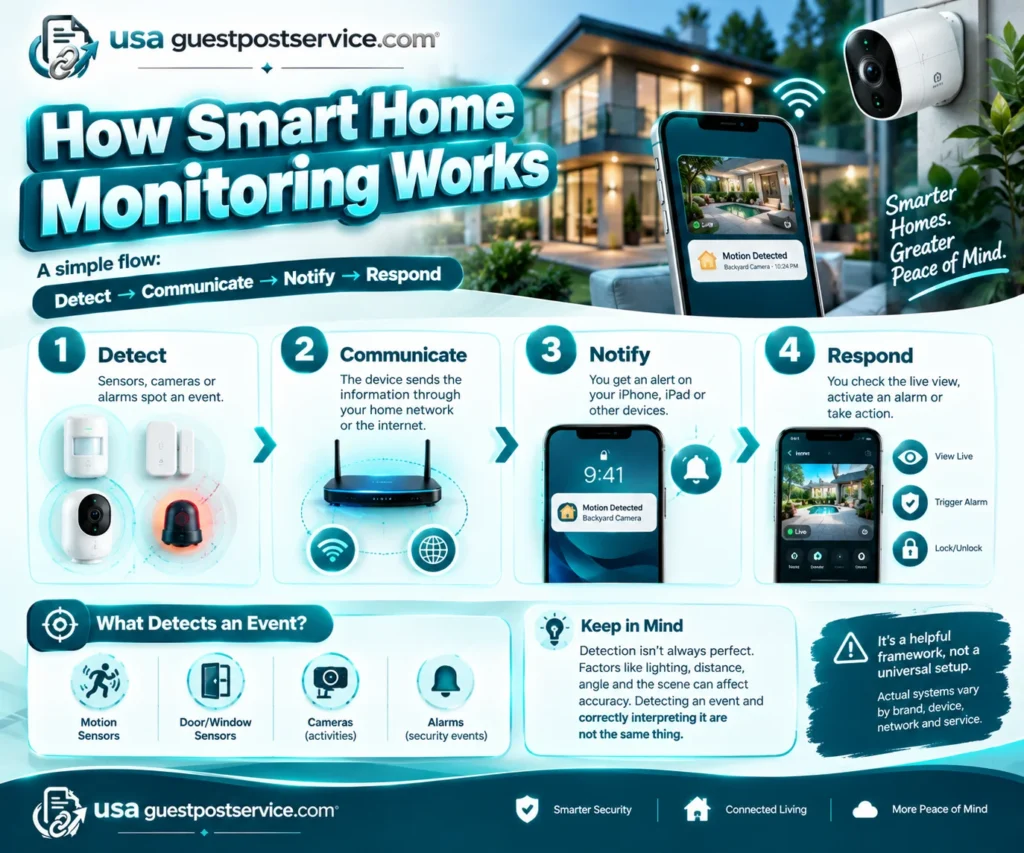
A useful way to understand smart home monitoring is:
Detect → Communicate → Notify → Respond
This is an explanatory framework rather than a universal technical architecture. Actual system design varies by manufacturer, device, network, and monitoring service.
1. Detect activity
The first step is detecting an event that matters.
A motion sensor can detect movement. A door or window sensor can detect an opening. A camera can detect supported activity and provide visual information. An alarm can respond to a configured security event.
Detection is not always perfect. For example, Google states that its Nest cameras and doorbells can sometimes misidentify events, and factors such as lighting, distance, camera position, and the scene can affect detection. Google also provides troubleshooting guidance for situations involving too many, too few, unwanted, or delayed camera alerts.
That is an important limitation for any monitoring setup: detecting an event and correctly interpreting an event are not necessarily the same thing.
2. Communicate the event
The detected event must reach the part of the system responsible for processing or delivering it.
The communication method depends on the system. Some devices use Wi-Fi or wired networking. Other systems or components may use cellular connectivity, a hub, or another communication path.
Do not assume that every wireless smart home alarm system has the same connectivity requirements or backup capabilities. Check the manufacturer’s specifications for the exact system you plan to use.
3. Notify the appropriate person
Once an event is processed, the system may send an alert through a supported mobile app, push notification, email, alarm, or other method.
The available notification options vary by device and service. For example, Google Nest cameras and doorbells can send activity notifications through supported Google Home or Nest configurations, while the types of alerts available depend on the specific device and service.
Notification settings are part of the monitoring system itself. An alert that is technically generated but consistently ignored is not useful monitoring.
4. Respond to the event
The final step is deciding what to do with the information.
With self-monitoring, the homeowner or another designated user receives the alert and decides whether to investigate or take another appropriate action.
With professional monitoring, an external monitoring service performs monitoring functions according to its own service procedures and terms.
Professional monitoring should not be treated as a guarantee of a particular emergency outcome. The actual service, communication methods, escalation procedures, availability, and limitations depend on the provider and the service agreement.
What You Need for Smart Home Monitoring
The right components depend on what you want to monitor. Start with the monitoring objective rather than buying the largest possible collection of devices.
| Component | What it can contribute |
| Security cameras | Visual information about selected areas |
| Motion sensors | Detection of movement in suitable monitored areas |
| Door and window sensors | Detection of openings at protected entry points |
| Video doorbells | Monitoring of activity around an entry door |
| Smart locks | Connected access control and supported remote lock functions |
| Alarm devices | Local or system-triggered security alerts |
| Mobile app | Notifications, status information, and supported remote controls |
| Hub or control panel | Coordination of compatible devices in systems that use one |
| Network connection | Communication between connected devices and services |
| Batteries or power | Keeps devices operating according to their design |
The most useful component depends on the problem you are trying to solve.
Want to know when an entry door opens? A door sensor may be more directly relevant than another indoor camera.
Want visual information about a driveway or front entrance? A compatible security camera or video doorbell may be more useful.
Want broader awareness of movement inside a property? Motion sensors can complement cameras or entry sensors.
Want remote access control? A compatible smart lock may add a useful function, but it is not required for every monitoring setup.
The goal is to match the detection method to the event you actually care about.
Self-Monitoring vs Professional Monitoring
Self-monitoring means that household members receive and manage alerts themselves. Professional monitoring adds an external monitoring service whose responsibilities depend on its service arrangement.
| Factor | Self-monitoring | Professional monitoring |
| Who handles alerts? | Homeowner or designated users | Monitoring service according to its procedures |
| Primary responsibility | Household | Defined by the service arrangement |
| Direct control | High | Depends on the service |
| Availability | Depends on whether someone can receive and respond to alerts | Depends on the provider and service |
| Ongoing service | May not require professional monitoring | Usually involves a monitoring service |
| Suitable when | Household members are comfortable managing alerts | Household wants an additional monitoring service |
Neither approach is automatically the right choice for every household.
Which Monitoring Approach Fits Your Situation?
Self-monitoring may fit when:
- You are comfortable managing alerts through an app.
- Someone can reliably receive important notifications.
- You want direct control over how alerts are handled.
- Your monitoring needs are relatively straightforward.
- You are comfortable maintaining and testing the system.
Professional monitoring may be worth considering when:
- You do not want all monitoring responsibility to rest with household members.
- Your property or system is more complex.
- You want an external monitoring service as part of the setup.
- You prefer defined monitoring procedures rather than handling every alert yourself.
Before choosing a professional service, check exactly what the service includes. Look at monitoring responsibilities, communication requirements, service availability, fees, and limitations rather than assuming that all professional monitoring services operate the same way.
Can You Install a Smart Home Security System Yourself?
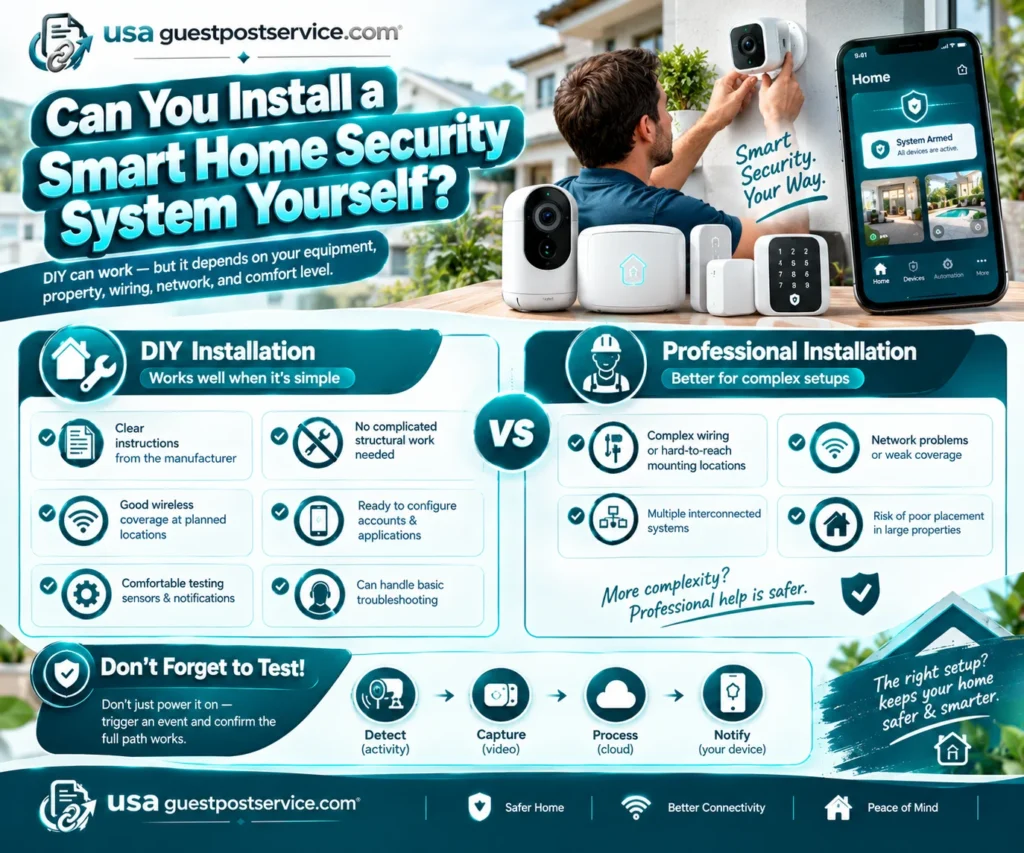
Some smart home security systems are designed for DIY installation, but whether DIY installation makes sense depends on the equipment, property, wiring, network coverage, device placement, and your technical comfort.
DIY installation is generally easier when the system involves straightforward device placement and configuration rather than extensive wiring or complicated integration.
DIY may be appropriate when:
- The manufacturer provides clear installation instructions.
- Devices can be installed without complicated structural work.
- Wireless coverage is adequate for the planned locations.
- You can configure the required accounts and applications.
- You are comfortable testing sensors and notifications.
- You can handle basic troubleshooting.
Professional installation becomes more relevant when the setup involves difficult wiring, challenging mounting locations, network problems, multiple interconnected systems, or a property where incorrect placement could leave important areas poorly monitored.
If you are still planning the broader connected-home setup, our guide on how to set up a smart home provides broader setup context. For installation-specific considerations, the smart home installation and setup guide can help you evaluate the process before deciding between DIY and professional help.
The important step after installation is testing. Do not assume that a device works simply because it powers on. Trigger a representative event and confirm that the complete path—from detection to notification—works as expected.
What Can Affect Smart Home Monitoring Reliability?
A monitoring system can fail at different points. A device may detect an event correctly while the notification fails to reach the intended user. Separating these stages makes troubleshooting much easier.
Connectivity
Connected devices may depend on Wi-Fi, wired networking, cellular communication, or another communication method.
If the required connection is unavailable, remote features or notifications may be affected. The exact behavior depends on the system.
For example, Google provides troubleshooting guidance for Nest cameras that are offline or not sending expected notifications. Its guidance includes checking whether the camera is powered, online in the app, and configured to send notifications.
Power
Battery-powered devices need adequate charge, while wired devices depend on their intended power source.
Power loss can affect detection, recording, communication, or notifications depending on the device. Do not assume that every system includes the same type of backup power.
Device placement
A camera or sensor can only monitor effectively within the conditions and area for which it was designed.
Poor positioning can create blind spots, reduce useful coverage, or increase unwanted detections. Camera performance can also be affected by factors such as lighting, distance, obstructions, and the camera’s field of view.
Notification settings
Notification settings determine which events reach the user and how those alerts are delivered.
Too many unnecessary alerts can make important notifications easier to overlook. Too few alerts can leave relevant events unnoticed.
Configure notifications around meaningful events and periodically confirm that the settings still match your needs.
Compatibility
Devices need to work together in the way you expect.
Compatibility can depend on the device model, application, hub, operating system, smart-home platform, and service plan.
Do not assume that two products will provide complete integration simply because both are marketed as smart-home devices.
Software and account configuration
Applications, device firmware, account permissions, and configuration settings can affect how a monitoring setup operates.
Keep supported software and firmware updated according to the manufacturer’s instructions, and periodically check that important notifications and authorized access still work as intended.
Detection versus notification
These are separate parts of the monitoring process.
A camera may detect activity but fail to produce the expected notification because of configuration, connectivity, device, or application conditions. Conversely, a notification system can be working properly even when a camera fails to detect an event because the activity was outside its view or conditions reduced detection effectiveness.
That is why testing should cover the entire monitoring path, not just individual devices.
How to Protect the Privacy and Security of a Smart Monitoring System
Smart home monitoring can involve connected cameras, accounts, household activity information, networks, and remote access. Security therefore needs to be considered alongside convenience.
NIST’s consumer IoT cybersecurity guidance identifies cybersecurity capabilities commonly needed for consumer IoT products. NIST also identifies router security as important because consumer IoT devices often rely on home routers to connect to the internet.
These sources provide a foundation for thinking about connected-device security; they do not mean that every individual recommendation below is a formal NIST requirement.
Protect monitoring accounts
Use strong, unique credentials for accounts that control cameras, alarms, locks, or other connected security devices.
Where supported, use multifactor authentication.
Review account access
Only give device or account access to people who need it. Review shared access periodically and remove access that is no longer appropriate.
Secure the home network
Because many smart-home devices rely on the home network for communication, router security is an important part of the connected-home security picture.
Use the security features provided by the router and follow the manufacturer’s update guidance.
Keep devices and applications updated
Install supported security and software updates according to the manufacturer’s instructions.
Updates can address security issues as well as improve functionality, but update behavior varies by device.
Consider camera placement carefully
Cameras should monitor the areas for which they are intended without unnecessarily capturing private spaces.
Good placement also improves monitoring usefulness by reducing blind spots and avoiding obvious obstructions.
Understand data and subscription settings
Read the manufacturer’s privacy information and understand how relevant data is handled.
Also distinguish between different types of paid services. A system may have optional cloud storage, advanced detection, or other premium features without requiring a professional monitoring subscription.
How to Choose and Set Up the Right Smart Home Monitoring Approach
The right setup is the one that matches your monitoring objective, property, connectivity, household availability, and preferred level of responsibility.
Use this process:
1. Identify what you actually need to monitor
Start with the event rather than the device.
Do you want to know when a door opens? See activity around an entrance? Detect movement in a particular area? Receive alerts while away?
The answer determines which detection method is useful.
2. Match the detection method to the objective
Choose devices according to the event you need to identify.
Entry sensors are designed around doors and windows. Cameras provide visual information. Motion sensors detect movement in suitable areas. A video doorbell combines an entry-area camera with supported alert functions.
You may need more than one type of device, but you do not automatically need every type.
3. Check compatibility before installation
Confirm that the devices work with the application, hub, network, and smart-home platform you plan to use.
If Google Home matters to you, check the exact device model. Google supports compatible security cameras and doorbells with supported Google Home and Google streaming devices, but compatibility and available functions vary by device. Google does not establish that every complete security system will integrate with Google Home.
4. Decide who will handle alerts
Choose self-monitoring if the household is comfortable receiving and managing alerts.
Consider professional monitoring if you want an external monitoring service and its defined procedures fit your needs.
5. Plan installation and placement
Consider mounting locations, wiring, power, network coverage, device access, and future maintenance.
If the installation is straightforward and within your technical comfort level, DIY may be reasonable. If the setup involves complex wiring, difficult placement, networking problems, or multiple integrated systems, professional help may be more practical.
6. Configure notifications
Choose notifications that correspond to meaningful events.
The objective is not to maximize the number of alerts. The objective is to receive useful information that someone can realistically act on.
7. Test the complete monitoring path
Test representative events.
For example:
Door opens → sensor detects the opening → system communicates the event → intended user receives the alert → household knows how to respond.
For a camera, verify that the intended activity can be detected from the selected position and that the expected notification or live-view function works.
8. Review the system over time
Check batteries or power, connectivity, notifications, device placement, account access, and supported software updates periodically.
A monitoring setup can change as the household, network, property, devices, or service arrangements change.
FAQs About Smart Home Monitoring
Do smart home monitoring systems require Wi-Fi?
Not always.
Some smart-home devices use Wi-Fi, while other systems or components may use wired networking, cellular communication, hubs, or other technologies. Requirements vary by system.
Also distinguish Wi-Fi from internet connectivity. A device may connect locally through Wi-Fi while remote features depend on internet access.
Check the exact manufacturer’s requirements before installation rather than assuming that every monitoring system uses the same connection method.
Do smart home monitoring systems require a monthly subscription?
Not necessarily.
Subscription requirements vary by system and service. A household may be able to self-monitor without paying for professional monitoring, while certain cloud storage, advanced detection, video history, or other premium features may require an ongoing service.
Before buying, identify which functions are included with the device and which require a separate subscription.
Can a security system work with Google Home?
Some compatible security cameras, doorbells, and other smart-home devices can work with Google Home, but compatibility and available controls vary by device.
Google’s current documentation supports streaming compatible security cameras and doorbells through supported Google Home and Google streaming devices. That does not mean that every complete home security system integrates with Google Home in the same way.
Check the exact model and current manufacturer/platform compatibility information before purchasing.
Can I monitor my home security system from my phone?
Many smart home monitoring systems provide mobile apps, but the functions available through those apps vary.
Depending on the system, a phone may be used to receive notifications, view compatible cameras, check system status, or control supported devices.
Receiving a phone notification is also different from having professional monitoring. A mobile app can provide information and controls, while professional monitoring involves a separate service arrangement.
When Professional Smart Home Installation Makes Sense
DIY installation can be suitable for straightforward systems, but professional help can be useful when installation complexity makes reliable setup difficult.
Consider professional installation when you need assistance with:
- Planning device placement
- Complicated wiring
- Difficult mounting locations
- Network or connectivity problems
- Integration between multiple systems
- Testing and configuring a more complex monitoring setup
The decision should follow an assessment of the system and property rather than the assumption that professional installation is always better.
If you decide that professional help is appropriate, you can explore smart home installation information to understand the available installation approach and what questions to ask before arranging service.
For additional background on connected-home technology, the Smart Home resources section provides related guides on setup, security, and installation.
Final Thoughts
Smart home monitoring is most useful when the entire process works together: a suitable device detects the right event, the system communicates it reliably, the intended person receives useful information, and someone knows how to respond.
You do not necessarily need the largest collection of devices. Start with what you want to monitor, match the detection method to that objective, check compatibility and connectivity, decide who will handle alerts, and test the complete monitoring path after installation.
Self-monitoring can work well for households that are comfortable managing their own alerts. Professional monitoring may make sense when an external monitoring service better fits the household’s availability, preferences, or system complexity. The Smart Home Handover Protocol can also provide useful context when evaluating how smart-home systems are managed and handed over.
Whichever approach you choose, realistic expectations matter. No monitoring technology eliminates every detection, connectivity, notification, or security limitation. A well-matched system that is properly configured, secured, tested, and maintained is a stronger foundation for smart home monitoring than a larger system that has not been carefully planned.