

Smart home installation can make everyday life more convenient by connecting lighting, heating, security devices, and household sensors. You can adjust a room’s lighting, receive a visitor notification, or check whether a monitored area needs attention without operating every device separately.
However, a useful connected home requires careful planning. Devices need to suit your property, work with your chosen control system, and remain easy for everyone in the household to operate. Buying equipment before checking these requirements can leave you with disconnected apps and unreliable routines.
Start by identifying the tasks you want to simplify. Then choose compatible equipment, prepare the network, and test each function before expanding the installation.
This guide from USA Guest Post Service covers the planning process, device selection, AI features, installation steps, and ongoing maintenance. Whether you are upgrading an existing property or preparing a new home, the goal is a system that supports your daily routine.
What Is Smart Home Installation?
Smart home installation is the process of positioning, connecting, configuring, and testing devices that provide connected controls or automated functions.
A project might include smart lighting, thermostats, doorbells, locks, cameras, leak sensors, or other compatible equipment. Some products connect directly to Wi-Fi, while others require a hub, bridge, or controller.
The work extends beyond physically fitting the devices. It also involves setting up accounts, assigning room names, managing permissions, and confirming that notifications reach the right people.
A complete installation should include instructions for everyday use and recovery from common problems. Household members should understand how to operate important functions when an app, phone, or connection is unavailable.
For related subjects as you plan your setup, explore our smart home category.
Plan Your Smart Home Around Everyday Needs
Before selecting products, decide what you want the system to do.
For example, you may want entrance lighting that responds to movement, heating controls that follow your routine, or a notification when water reaches a sensor beneath an appliance. These specific goals make device selection easier.
Consider everyone who uses the property. A lighting routine that works for one person may inconvenience someone sitting quietly in the same room. Heating schedules should reflect the household’s activities rather than a single person’s assumptions.
Your property also affects the plan. Available wiring, wall construction, heating equipment, and wireless coverage can influence which products are suitable.
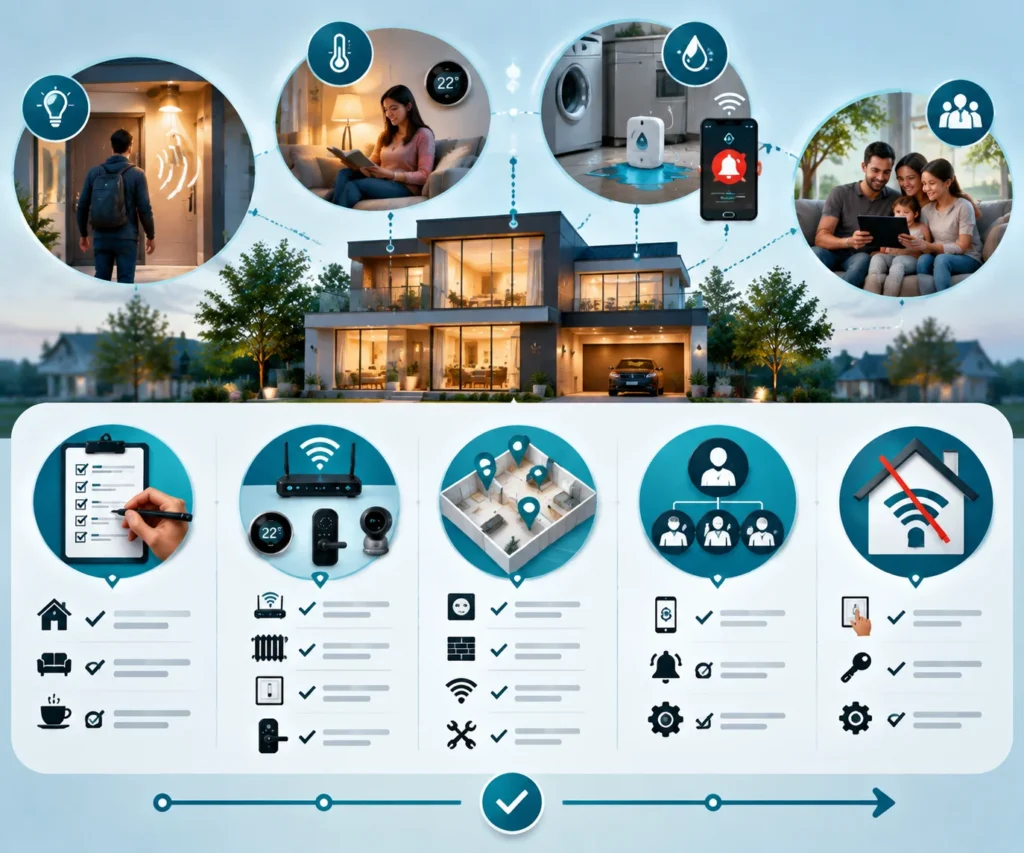
Preinstallation checklist
Use these points to prepare a clear project brief:
- Daily priorities: Identify the household tasks you want to simplify.
- Existing equipment: Record your router, heating system, switches, locks, and connected devices.
- Installation locations: Check power, mounting surfaces, wireless coverage, and maintenance access.
- Household permissions: Decide who needs ordinary controls, notifications, or administrator access.
- Backup operation: Establish how essential functions can be operated without the usual app connection.
Keep the brief practical. A short list of clear requirements is more useful than a long collection of features you may never use.
If you are preparing a property before moving in, our home preparation category provides a relevant place to explore the wider preparation process.
Choose a Compatible Smart Home Platform
Your control platform determines how you manage devices and create routines. Choose it before building a large collection of equipment.
Check the exact model of every proposed device against the platform’s compatibility information. Products from the same manufacturer may support different systems or offer different functions.
Compatibility also has several levels. A device might support basic on-and-off control through one platform while keeping advanced settings in its own app.
Think about the functions you actually need. These may include household permissions, heating schedules, camera notifications, or the ability to group lights.
Understand controllers, bridges, and hubs
Some products require additional connection equipment. A bridge may connect a manufacturer’s devices to your network, while a controller manages supported devices and routines.
Check these dependencies before installation. A device appearing in an app does not necessarily mean it can perform all intended functions without other equipment.
Keep an equipment list that includes required accessories and controllers. This makes it easier to identify missing components before installation begins.
Understand Matter and Thread
Matter is a connectivity standard intended to help compatible smart home products communicate across supported platforms.
Thread is a low-power networking technology used by some connected devices. A Thread border router links the Thread network with other IP networks.
These terms describe different roles. A product may support one, both, or neither. Check its documentation and confirm the requirements of your chosen platform.
Prepare Your Home Network
Reliable connectivity is an important part of smart home installation.
Test the connection where each device will operate. Pay particular attention to entrances, outdoor areas, garages, and rooms separated from the router by substantial walls.
A strong connection beside the router does not prove that a camera will remain connected at the front gate.
Check each device’s supported Wi-Fi bands and network requirements. Follow the manufacturer’s instructions, including any restrictions involving guest networks or device discovery.
Resolve coverage problems before permanently mounting equipment. Moving a device slightly or improving the network may be easier before brackets and cables are fixed in place.
Also consider access to the router and connection equipment. Keep essential components in suitable locations where they can be inspected and maintained.
Choose the Right Devices for Your Installation
Start with equipment that addresses your main household priorities. Expand after the initial devices work reliably.
| Device category | Main purpose | What to check before installation |
| Smart lighting and plugs | Control lights and suitable connected appliances | Fixture fit, electrical ratings, switching behavior, and manual controls |
| Smart thermostats | Manage temperatures and heating schedules | Heating-system compatibility, wiring, and sensor placement |
| Smart locks and doorbells | Manage entry and receive visitor notifications | Door alignment, power requirements, wireless coverage, and backup access |
| Security cameras | Monitor selected areas and review detected events | Viewing angle, recording functions, privacy settings, and maintenance access |
| Leak and environmental sensors | Monitor conditions at specific locations | Sensor position, alert delivery, battery access, and testing procedures |
Smart lighting and switches
Smart bulbs can provide a straightforward introduction to connected lighting. Confirm that the bulb fits the fixture and supports the controls you need.
Consider how people use existing wall switches. If someone cuts power to a smart bulb, its connected functions may become unavailable.
Smart switches can help preserve familiar physical controls, but installation requirements vary. Wiring, lighting compatibility, and the existing switch arrangement all need attention.
Arrange qualified assistance for fixed wiring work. For related planning topics, visit our electrical category.
Smart plugs
Smart plugs can provide connected control for suitable lamps and other supported equipment.
Check the plug’s electrical ratings and the appliance manufacturer’s instructions. Avoid assuming that any appliance can be switched automatically or operated unattended.
Position the plug where it remains accessible. You should be able to disconnect it and inspect the surrounding socket without moving heavy furniture.
Smart thermostats
A smart thermostat must match the heating and cooling system it will control.
Check the equipment type, control requirements, and installation instructions. A thermostat designed for one system may be unsuitable for another.
Sensor placement also matters. Follow the manufacturer’s guidance and consider whether the selected location represents the room’s normal temperature.
For broader heating and cooling subjects, explore our HVAC category.
Smart locks and video doorbells
Before selecting a smart lock, check the door dimensions, lock type, and alignment. The door should close and latch smoothly.
Confirm how household members will enter normally and what backup methods the product provides. Review battery warnings and replacement procedures.
For video doorbells, check power requirements, mounting position, and connection quality. Test visitor notifications on the phones that will receive them.
Leak sensors and water controls
Place leak sensors where water is likely to reach them, such as beside a washing machine or beneath a sink.
A sensor monitors its immediate location. It cannot detect every hidden pipe problem or prevent all water damage.
Automatic water shutoff equipment introduces additional plumbing requirements. A qualified plumber should assess the pipework, valve installation, and manual operation.
You can explore related maintenance subjects in our plumbing category.
AI Features in a Smart Home
Artificial intelligence can help some connected systems classify information, recognize patterns, or suggest actions.
Its usefulness depends on the task. An AI feature should make a function easier to manage or more relevant to your household.
Ordinary automation and AI are different. A light following a fixed schedule is carrying out a rule. A camera classifying an event or a thermostat adapting to patterns involves additional interpretation.
Event classification for cameras
Some cameras can distinguish between supported event types, such as people, animals, or vehicles.
This may help users select more relevant notifications. However, the available categories and processing methods depend on the product.
Test the feature in the location where the camera is installed. Lighting, viewing angle, distance, and movement can affect the result.
A classification describes what the system detected. It should not be treated as proof of someone’s identity or intentions.
Learning temperature preferences
Some thermostats can adapt schedules using patterns of use and temperature adjustments.
Review the resulting settings. Changes in working hours, visitors, illness, or sleeping routines may require manual intervention.
Keep a straightforward override available. Different household members may have different comfort needs, and those preferences can change over time.
Assistance with creating automations
Some systems offer assistance that converts written requests into proposed routines.
Before enabling a suggested automation, check its devices, trigger, conditions, and actions. Confirm that it affects the intended rooms and behaves as expected.
Start with simple functions, such as lighting. Test the routine while someone is present and adjust any unexpected behavior.
Smart Home Installation Step by Step
1. Map your property and existing equipment
Create a room list showing proposed devices, available power, existing controls, and areas with weak connectivity.
Record equipment model numbers so compatibility can be checked accurately.
For renovation projects, discuss cable routes and equipment positions before walls and surfaces are finished. Consider how someone will reach the equipment for maintenance.
Our remodeling category covers a related area to consider when connected devices form part of a wider property project.
2. Confirm your equipment and accessories
List the devices alongside required controllers, bridges, mounts, adapters, and accounts.
Read the installation instructions rather than relying only on product descriptions.
Choose equipment intended for your country and property. Verify electrical ratings, heating compatibility, and regional feature support.
Avoid assuming that similarly named products sold in different markets have identical specifications.
3. Prepare accounts and network access
Use an account controlled by the homeowner or responsible household member for the main system.
Set recovery options before connecting important equipment. If an installer needs access, agree on suitable permissions and when temporary access will end.
Keep setup codes and equipment details in a secure record. Store passwords separately in an appropriate password manager.
4. Install and test devices individually
Start with any required controller or connection equipment. Then add devices one at a time.
Give each device a clear name, such as “Kitchen Ceiling” or “Front Door.” Avoid several products with nearly identical names.
Test each device at its final location before securing mounts. Confirm manual operation, app control, and the functions that matter to your household.
For suitable non-specialist mounting and finishing tasks, the subjects in our handyman category may be relevant. Electrical, heating, and plumbing work should be assigned according to the qualifications required for those tasks.
5. Add simple routines
Create one automation with a clear trigger and outcome.
For example, hallway movement after sunset might turn on a light for a limited period.
Test what happens when someone is already using the space, presses a manual control, or triggers the routine repeatedly.
Adjust timing and sensitivity before adding more rules. Keep track of routines that control the same equipment.
6. Complete testing and household instruction
Check notifications, permissions, manual controls, and documented behavior during connection interruptions.
Demonstrate everyday functions to household members. Explain how to pause routines and obtain help.
Keep recovery instructions and equipment details together. A successful handover should leave the household able to operate the system confidently.
Plan Smart Home Features Room by Room
Entrance and hallway
Prioritize useful visibility and convenient access.
Test doorbell notifications with the door closed. Confirm that alerts reach the intended phone and that household members understand the entry arrangements.
Position hallway sensors to detect normal movement without unnecessary activation from adjoining spaces.
Review nighttime lighting levels. A routine should provide enough visibility without creating uncomfortable brightness.
Living room and shared spaces
Shared rooms need controls that work for several people.
Someone reading or watching television may remain still for a long time. Test whether the lighting routine accommodates that behavior.
Keep manual controls accessible and make it easy to pause routines when guests visit.
Use clear device names so household members can identify the correct light or controller.
Bedrooms and home offices
Discuss lighting and temperature preferences with the people using each room.
Wake-up routines need practical overrides for weekends, illness, or changing work schedules.
Consider whether cameras or microphones are necessary in private spaces. Select only the functions the room needs and review privacy controls with everyone affected.
Kitchens and utility areas
Position leak sensors where they can detect water and remain accessible for testing.
Make sure notifications reach someone who can respond.
Keep smart plugs within their intended use and electrical ratings. Create unattended appliance routines only when the appliance and control equipment are expressly suitable.
DIY or Professional Smart Home Installation
DIY installation can suit straightforward plug-in devices when you can follow the instructions and manage the setup.
Professional assistance becomes more useful when the work involves fixed wiring, heating controls, water valves, difficult mounting positions, or several systems that must operate together.
Choose the professional according to the task. Experience configuring apps does not automatically establish qualifications for building services work.
| Installation approach | Suitable scope | Key consideration |
| DIY installation | Supported plug-in devices and straightforward routines | Your ability to follow instructions, configure accounts, and troubleshoot |
| Professional installation | Fixed building services, difficult mounting, or complex integration | Appropriate qualifications, defined responsibilities, and a clear handover |
| Combined installation | Professional physical work with homeowner configuration | Agreement on who installs, configures, tests, and resolves faults |
A combined approach can work well. A qualified electrician may fit compatible switches while the homeowner manages room names and routines.
Agree who will investigate problems when physical installation and configuration are handled separately.
How to Choose a Smart Home Installer
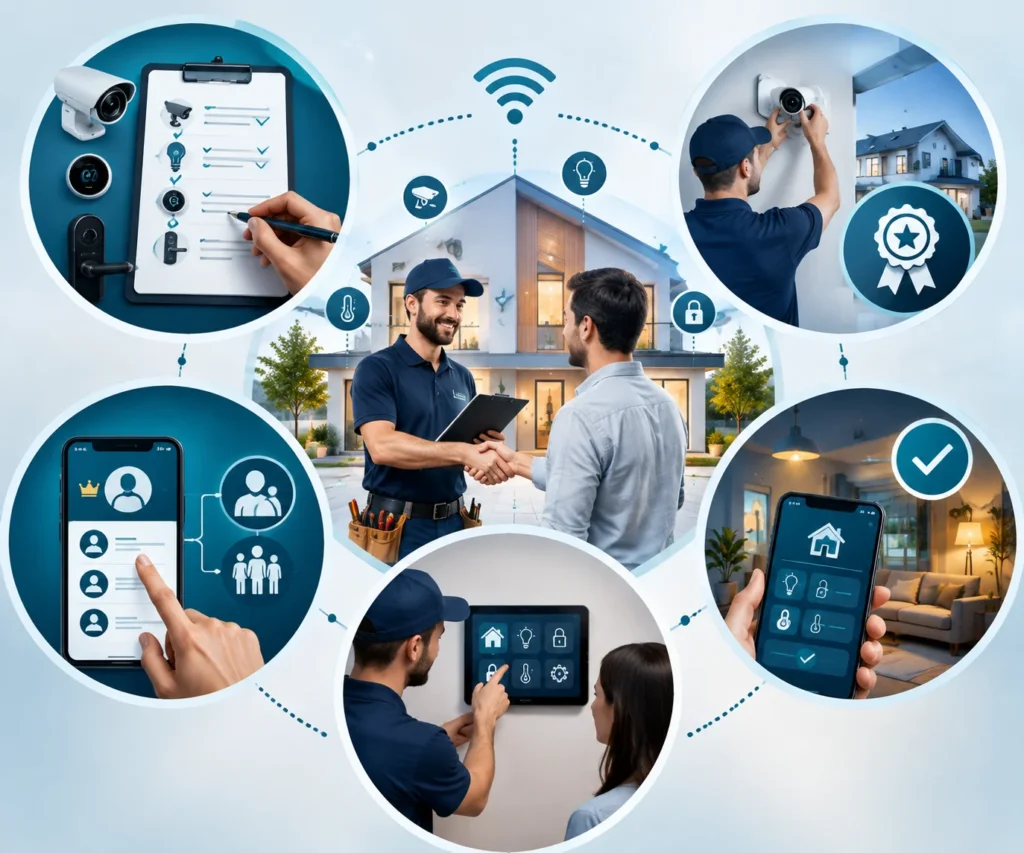
Ask for a written scope identifying the equipment models, installation work, configuration tasks, and functions that will be demonstrated.
A broad description such as “install smart home system” leaves important details unresolved.
Discuss experience with comparable projects. Confirm who will complete specialist work and whether their qualifications match the tasks.
Clarify account ownership and administrator access. You should understand how to add a household member, replace equipment, and change support arrangements.
Ask about the handover process. It should cover normal operation, manual controls, recovery procedures, and maintenance.
Finally, test the intended functions yourself before the work is considered complete. This is the best opportunity to identify confusing controls or routines that need adjustment.
Protect Privacy and Maintain Your System
A connected home needs ongoing attention to accounts, software, and access permissions.
Use unique passwords and enable two-factor authentication where supported. Keep router and device software updated according to the manufacturers’ instructions.
Review who can view recordings, change settings, or manage entry to the property. Give people the access they need for their role.
Build these maintenance habits into your routine:
- Review household permissions and remove temporary users when their access ends.
- Check batteries and test important notifications.
- Review available software updates and manufacturer support guidance.
- Inspect accessible equipment and clean it according to product instructions.
- Recheck automations after moving sensors, replacing equipment, or changing the network.
Discuss recording locations and retention settings with household members. Make it clear which devices collect information and how their controls work.
Keep maintenance instructions with the equipment inventory. Another household member should be able to find the information when needed. For additional guidance on managing connected devices and smart home technology, explore resources from the Consumer Technology Association (CTA).
Common Installation Mistakes to Avoid
Buying devices before checking compatibility
Products that look similar may have different control requirements.
Verify exact model numbers, supported platforms, and required connection equipment before selecting a large group of devices.
Assuming fast internet means reliable coverage
Internet speed and wireless coverage describe different parts of the connection.
Test equipment where it will operate, especially outside or in rooms far from the router.
Creating conflicting routines
Several automations may issue different commands to the same device.
Introduce rules gradually and record their purpose. When behavior becomes confusing, review existing routines before adding more.
Forgetting manual operation
Household members should have a practical way to operate important functions when the usual app is unavailable.
Check these controls during installation and explain them during the handover.
Skipping documentation
Missing setup codes, unknown account owners, and unclear recovery procedures can make ordinary maintenance unnecessarily difficult.
Record these details while the installation is fresh.
Troubleshoot Problems in a Consistent Order
When a device stops responding, check its power or battery status first.
Then establish whether the fault affects one device or several. A single product failure may require different checks from a household-wide connection problem.
Look for error messages in the manufacturer’s app. Confirm that the intended account still has access.
Consider recent changes, including a replaced router, moved sensor, altered permission, or new routine.
If manual control works but an automation fails, review the trigger, schedule, and conditions. Change one setting at a time.
Use factory resets when the manufacturer’s troubleshooting process calls for them. Resetting multiple devices immediately can erase useful settings and complicate the investigation.
Prepare Smart Devices Before Moving Home
Moving requires decisions about which devices will stay with the property and which will move with you.
Identify removable equipment and document anything being transferred. Follow manufacturer instructions for account removal and resetting devices.
For equipment staying behind, arrange an appropriate handover without sharing personal account credentials.
At the new property, check compatibility and network coverage again. A setup that worked in one home may need different positioning or configuration elsewhere.
Include these tasks in your wider relocation planning. You can explore related subjects in our moving category.
Frequently Asked Questions
Can I install smart home devices myself?
You can often configure suitable plug-in devices by following their instructions. Fixed wiring, heating equipment, plumbing, and difficult mounting tasks may require qualified assistance. Choose the approach according to the work involved.
Does every smart home need a hub?
No. Some devices connect directly to Wi-Fi, while others require a hub, bridge, controller, or Thread border router. Check the requirements of each device and your chosen platform.
Will the system work without the internet?
That depends on the equipment and function. Some local controls may continue working, while remote access or cloud-dependent features become unavailable. Review the documentation and test the behavior that matters to your household.
Can smart home equipment work in older properties?
Often, but the installation needs individual assessment. Wiring, heating controls, building materials, and wireless coverage can affect the choices. Plan around the property’s existing conditions.
Are AI features necessary?
No. Manual app controls, schedules, and simple sensor routines can meet many household needs. AI is useful when its additional capabilities improve a task you actually perform.
Which devices should I install first?
Start with a specific household need and compatible equipment. A manageable lighting setup or carefully positioned sensor can help you learn the controls before expanding.
Can renters use smart home devices?
Many removable products may suit rented properties. Check the tenancy agreement and obtain permission where alterations are involved. Keep original equipment and plan how devices will be removed when moving.
What should I receive after professional installation?
Request a working demonstration, equipment details, account ownership information, and instructions for operation and recovery. You should also understand who to contact for support.
Build a Smart Home That Fits Your Daily Life
Successful smart home installation starts with clear priorities and compatible equipment.
Prepare the network, test devices individually, and introduce routines gradually. Keep everyday controls understandable and include privacy, maintenance, and recovery in the plan.
Expand the system when new functions solve a real household need. A manageable setup that works consistently is easier to maintain as your property and routines change.
Explore more related subjects in our smart home category or visit the USA Guest Post Service homepage.