
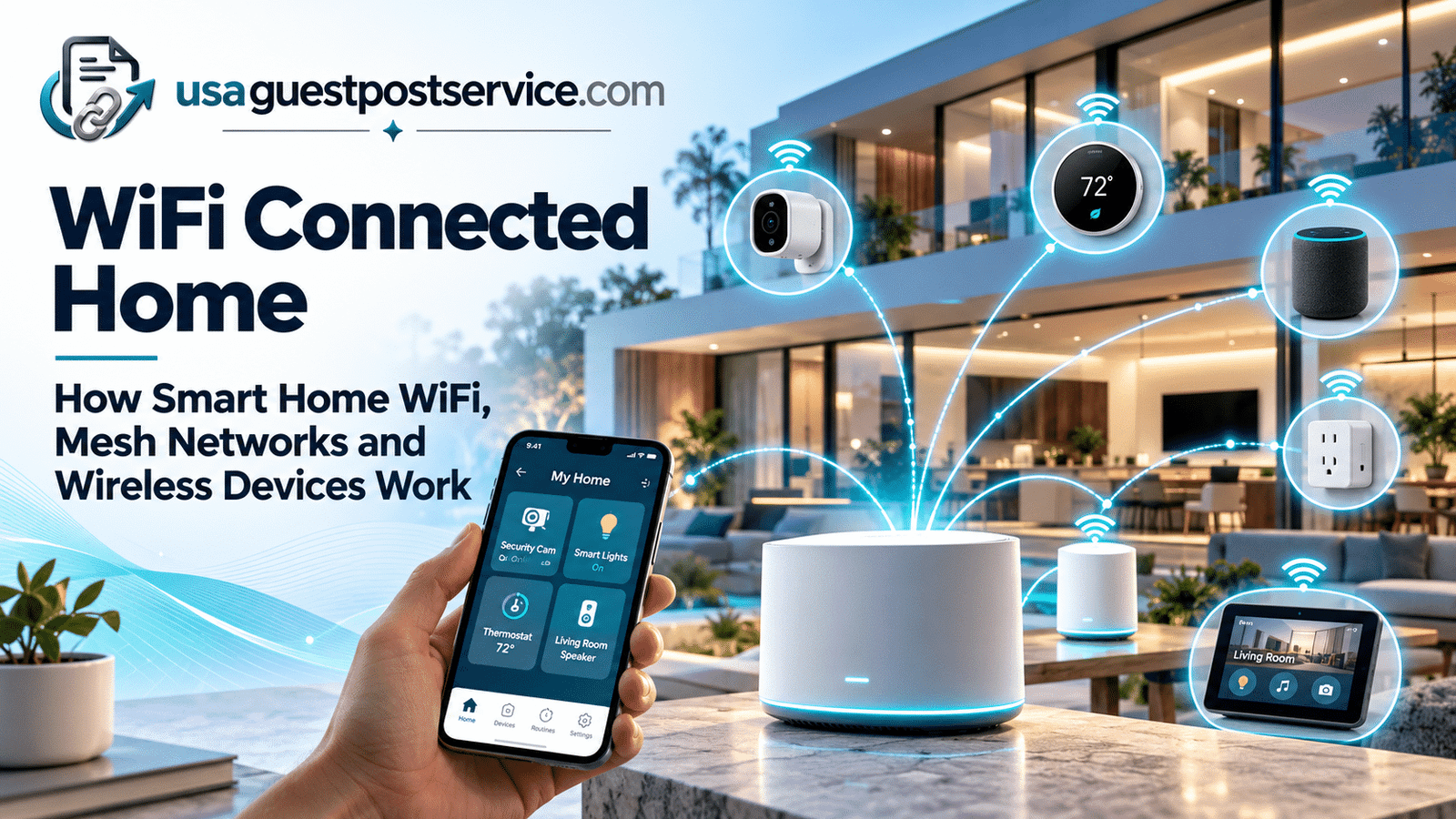
A WiFi connected home uses wireless networking to connect smart devices, apps, cloud services, and other digital systems across the home.
Many smart-home products rely on Wi-Fi because it allows them to communicate with a router, access internet-based services, and provide remote control through mobile applications. Cameras, smart speakers, displays, appliances, televisions, and other connected products commonly use Wi-Fi as part of their communication path.
However, a reliable Wi-Fi smart home depends on more than internet speed.
Wireless coverage, router placement, mesh nodes or access points, device capacity, interference, and the number of connected products can all influence how well the system performs.
A larger connected home may also use technologies other than Wi-Fi. Sensors, switches, lighting devices, and low-power products may communicate through hubs or other wireless protocols while still connecting indirectly to the home’s broader network.
This guide explains how a WiFi connected home works, where routers and mesh systems fit, how smart devices communicate wirelessly, what affects coverage, and how to create a more reliable wireless foundation for connected-home technology.
What Is a WiFi Connected Home?
A WiFi connected home is a home where connected devices use the wireless network to communicate with routers, platforms, applications, cloud services, or other supported systems.
The basic communication path often looks like this:
Smart Device → Wi-Fi Network → Router → Platform or Internet Service → User
For example, a Wi-Fi security camera may connect directly to the home router.
The homeowner can then access supported features through the manufacturer’s application or another compatible platform.
A smart speaker may use the same wireless network while performing completely different functions.
The key idea is that several types of connected devices can share the same Wi-Fi infrastructure even though their individual purposes are different.
Wi-Fi is therefore not the smart home itself.
It is one communication layer that helps many smart-home technologies connect and exchange information.
For a broader explanation of the technology layers behind connected homes, our guide to smart home technology covers devices, sensors, networks, platforms, automation, and related technologies in more detail.
How Does Smart Home WiFi Work?
Smart home Wi-Fi works in much the same way as Wi-Fi for phones, laptops, or televisions.
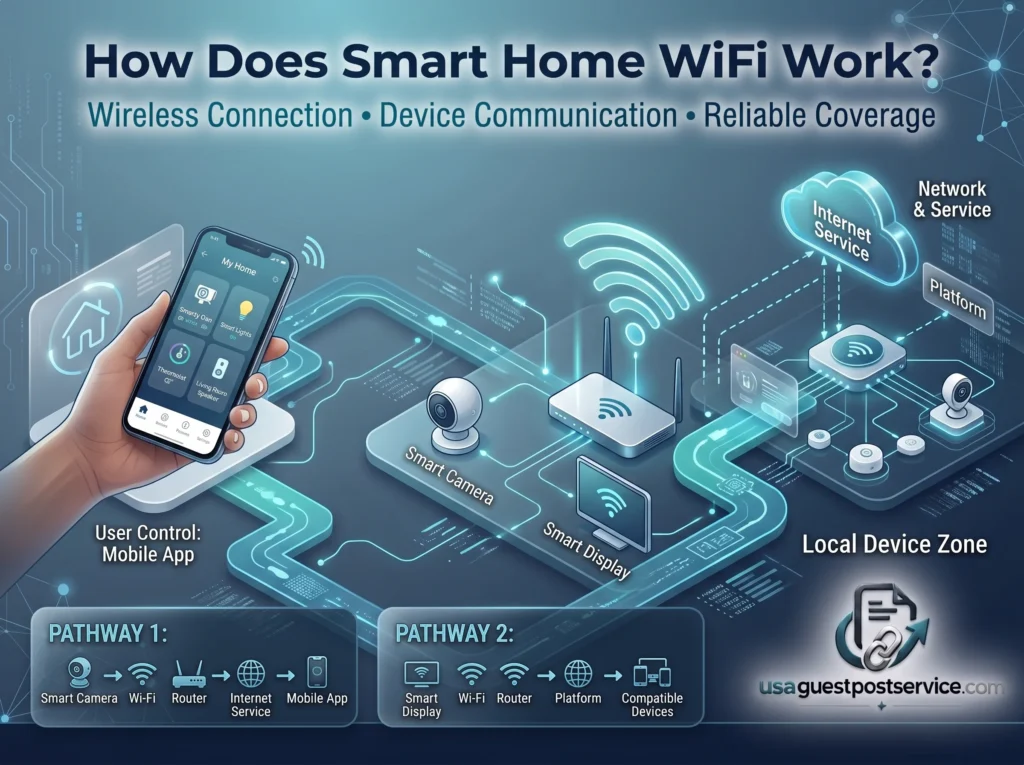
A router or wireless access point creates a local wireless network.
Compatible smart devices connect to that network and use it to exchange information with local systems, external services, or user applications.
A simple example is:
Smart Camera → Wi-Fi → Router → Internet Service → Mobile App
Another device may use a slightly different path:
Smart Display → Wi-Fi → Router → Platform → Other Compatible Devices
The exact communication path depends on the product.
Some devices rely heavily on internet-based services.
Others may retain selected local functions when internet access is unavailable.
The most important requirement is that the device has a reliable communication path where it is installed.
What Role Does a Smart Home WiFi Router Play?
The router is one of the central components of a WiFi connected home.
It connects devices to the local network and typically provides access to the internet.
For Wi-Fi smart devices, the router may handle communication for:
- smart cameras
- speakers
- displays
- televisions
- appliances
- smart plugs
- connected lighting products
- home-office devices
- phones and tablets
The router also has to manage traditional household technology at the same time.
A home may already contain laptops, gaming systems, streaming devices, and mobile phones before smart-home products are added.
This means the best smart home WiFi router is not simply the model with the highest advertised speed.
More practical factors include:
- reliable coverage
- support for the number of connected devices
- suitable security features
- stable performance
- good placement
- appropriate network management
- the size and layout of the home
A fast broadband plan cannot compensate for poor wireless coverage inside the property.
Mesh Home WiFi and Smart Homes
Mesh home WiFi is designed to provide wireless coverage across a larger area using multiple connected Wi-Fi points rather than relying on one router location.
A typical mesh system includes a primary unit and one or more additional nodes placed around the home.
These units work together to provide broader wireless coverage.
This can be useful in homes where one router struggles to reach:
- upper floors
- distant bedrooms
- garages
- exterior entrances
- large living areas
- rooms separated by dense walls
For a Wi-Fi smart home, better coverage can help devices maintain more reliable connections.
A camera installed near an exterior wall, for example, may perform poorly if the nearest Wi-Fi source is several rooms away.
A strategically placed mesh node may improve that connection.
However, mesh WiFi should not be viewed as an automatic solution to every network problem.
Placement still matters, and the system still needs a reliable connection between its nodes.
Mesh WiFi vs a Single Router for Smart Homes
The better option depends on the property.
| Area | Single Router | Mesh Home WiFi |
| Coverage | Best for smaller or simpler layouts | Better suited to larger or difficult layouts |
| Setup | Usually simpler | Requires multiple nodes |
| Expansion | Limited by router coverage | Easier to extend into additional areas |
| Smart-device support | Can be excellent with good coverage | Useful when devices are spread throughout the home |
| Cost | Usually lower | Usually higher |
| Placement planning | Important | Important for every node |
A single router may be completely sufficient for a small home with good placement.
A mesh system becomes more useful when one Wi-Fi source cannot provide dependable coverage throughout the property.
The goal should be consistent connectivity, not installing more networking equipment than the home actually needs.
How Smart Home Devices Communicate Over WiFi
Wi-Fi devices generally communicate directly with the home’s wireless network.
Once connected, they may exchange information with an application, cloud service, smart-home platform, or another supported system.
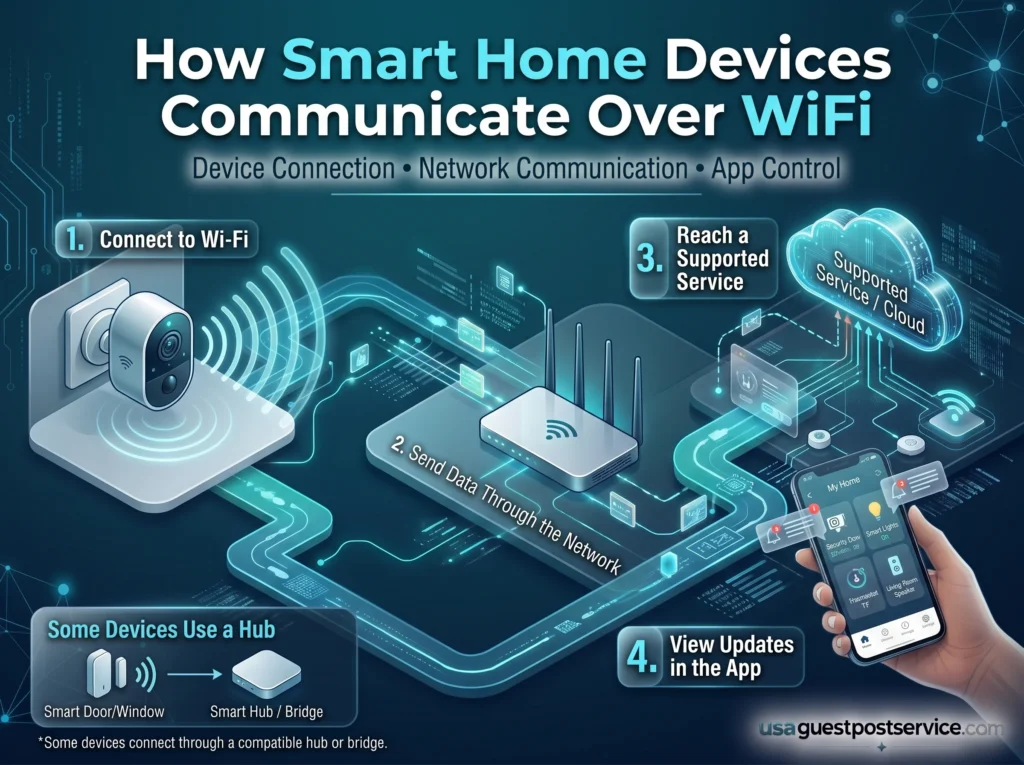
For example, a Wi-Fi camera may:
- connect to the router
- send supported data through the network
- communicate with a service or application
- allow the homeowner to view information or receive notifications
A smart plug may follow a similar network path while providing completely different functionality.
This shared communication layer is one reason Wi-Fi is widely used in smart homes.
However, not every smart device uses Wi-Fi.
Some devices communicate through dedicated hubs or lower-power wireless technologies. These products may still connect indirectly to the home network through a hub or bridge.
For a deeper explanation of routers, hubs, local communication, internet connectivity, and device-to-device networking, see our smart home network guide.
WiFi vs Other Wireless Smart Home Technologies
A wireless smart home can use several different communication technologies.
Wi-Fi is particularly useful for devices that need relatively high data capacity or direct access to the home network.
Other wireless technologies may be better suited to battery-powered sensors, switches, or low-power devices.
| Technology Type | Typical Role | Common Device Examples |
| Wi-Fi | Direct network connectivity | Cameras, speakers, displays, appliances |
| Hub-based wireless | Low-power smart-device communication | Sensors, switches, lighting |
| Bluetooth | Short-range connection or setup | Accessories, setup, local controls |
| Other low-power protocols | Device-to-device or hub communication | Sensors, locks, automation devices |
The most effective connected home may therefore use Wi-Fi alongside other communication technologies.
A homeowner does not need every device to use the same wireless method.
What matters is whether the products can participate in the intended control environment.
Smart Home WiFi and Networking: Coverage Matters More Than Speed Alone
One of the most common misunderstandings in connected homes is assuming that faster internet automatically means better smart-home performance.
Internet speed and wireless coverage are related to connectivity, but they are not the same problem.
Internet speed describes how much data can move between the home and the service provider.
Wi-Fi coverage describes how effectively devices can communicate with the local wireless network.
A home may have a very fast internet plan and still have:
- weak signal upstairs
- unreliable cameras near exterior walls
- poor connection in a garage
- inconsistent smart speakers in distant rooms
For smart-home use, coverage and stability are often more important than extremely high speed.
This is particularly true for devices that exchange relatively small amounts of data but need dependable communication.
Common WiFi Problems in Smart Homes
Wireless smart-home problems can have several causes.
Poor Router Placement
A router placed at one end of the property may struggle to provide strong coverage everywhere.
Walls, floors, furniture, appliances, and building materials can all affect signal performance.
A more central location can improve coverage in many homes.
Weak Coverage in Device Locations
A smart device may work perfectly near the router but disconnect repeatedly once installed in its final location.
This often occurs with cameras, outdoor devices, garage equipment, or products on upper floors.
Coverage should therefore be checked where devices will actually be used.
Too Many Connected Devices
Modern households can contain many Wi-Fi products.
Phones, laptops, televisions, cameras, speakers, appliances, and smart-home devices may all connect through the same network.
The number of devices alone does not automatically create a problem, but the router and network equipment must be capable of handling the overall environment.
Wireless Interference
Wireless performance can be affected by neighbouring networks, building materials, appliances, and other radio sources.
The impact varies by property.
Poor performance should therefore be diagnosed rather than automatically blamed on the smart device.
Internet or Cloud-Service Dependence
Some smart products rely on external services for key features.
A Wi-Fi connection may remain active while a device still loses functionality because the internet connection or external service is unavailable.
This is why local network connectivity and internet connectivity should be treated as separate concepts.
How Mesh Home WiFi Can Improve Connected-Home Coverage
Mesh WiFi is most useful when coverage problems occur in specific parts of the home.
The value comes from placing additional nodes where they can extend dependable wireless coverage without creating weak links between the mesh units themselves.
For smart-home devices, this can be especially useful in locations such as:
- front entrances
- rear doors
- upper floors
- garages
- workshops
- distant bedrooms
- large open-plan areas
Node placement is important.
Placing a mesh unit inside an already weak area may not solve the problem if that node itself cannot communicate reliably with the rest of the mesh system.
The objective is to create overlapping areas of usable connectivity.
In homes with structured Ethernet cabling, mesh nodes or wireless access points may also use wired connections between network locations.
This can provide a more stable communication path than relying entirely on wireless connections between nodes.
Which Wireless Technology Works Best for Different Smart Home Devices?
There is no single wireless technology that is best for every smart-home application.
The right technology depends on what the device needs to do.
Wi-Fi can be a good choice for products that need direct network access or higher data capacity.
Lower-power wireless technologies may be better for sensors or battery-powered devices.
Bluetooth can be useful for short-range connections or initial setup.
A hub-based system may be appropriate when many compatible low-power devices need coordinated communication.
The better question is:
Which wireless technology is most appropriate for this device and this household use case?
For example:
- cameras may benefit from Wi-Fi or wired network connections
- sensors may benefit from low-power communication
- speakers and displays commonly use Wi-Fi
- battery-powered devices may prioritize energy efficiency
- Fixed controllers may benefit from wired connectivity
A mixed approach is often more practical than forcing every device onto one wireless technology.
How to Plan WiFi for a Smart Home
Planning smart home WiFi should begin with device locations rather than router specifications.
Identify Where Devices Will Be Used
List likely locations for:
- security cameras
- smart speakers
- televisions
- displays
- appliances
- smart plugs
- network hubs
- mobile devices
This helps reveal where dependable wireless coverage is actually needed.
Check Coverage in Those Areas
A network should be tested in real device locations.
A strong signal next to the router does not guarantee good coverage elsewhere.
Pay particular attention to exterior walls, upper floors, garages, and distant rooms.
Decide Whether One Router Is Enough
A well-positioned router may be sufficient for smaller homes.
Larger properties or difficult layouts may require mesh WiFi or additional access points.
Do not add equipment unless there is a coverage problem to solve.
Use Wired Connections Where They Make Sense
Some fixed network components may perform better when connected by Ethernet.
Examples may include:
- access points
- mesh nodes with wired backhaul
- televisions
- desktop computers
- hubs or controllers
- compatible cameras
This reduces unnecessary dependence on wireless communication.
Plan for Expansion
A home that currently has five smart devices may eventually have many more.
Future growth should be considered when choosing network equipment, but homeowners do not need to overbuild the system for unrealistic scenarios.
For a broader implementation roadmap covering device selection and system setup, our guide on how to set up a smart home provides the next step.
Can You Build a Smart Home Without Wireless?
Yes, but a completely wireless-free smart home is uncommon.
Some connected systems can use wired Ethernet, wired automation infrastructure, hardwired sensors, or dedicated control systems.
Fixed devices such as cameras, access points, televisions, controllers, and network equipment can often use wired connections.
However, many consumer smart-home products are designed around wireless communication.
Battery-powered sensors, smart locks, portable devices, speakers, and other products may use Wi-Fi, Bluetooth, or other wireless technologies.
A practical approach is therefore often a hybrid system:
Wired infrastructure for fixed equipment + wireless communication for devices that benefit from flexibility
This can reduce unnecessary Wi-Fi dependence without limiting device choice.
Security and Privacy in a WiFi Connected Home
A WiFi connected home should be planned with security as well as coverage.
Connected products may have access to cameras, microphones, household activity, account data, or other information depending on their purpose.
Useful practices include:
- using strong, unique account passwords
- keeping routers and smart devices updated
- reviewing device permissions
- changing default credentials where applicable
- using supported router security settings
- removing devices that are no longer used
- reviewing who has access to household accounts
Some homeowners may also use separate network segments for selected connected devices.
However, guest-style or isolated networks can sometimes prevent smart devices from discovering or communicating with local phones, hubs, or controllers.
Network separation should therefore be designed around the communication requirements of the products being used.
Is Mesh WiFi Worth It for a Smart Home?
Mesh WiFi can be worthwhile when a single router cannot provide reliable coverage throughout the home.
It is particularly useful in:
- larger homes
- multi-storey properties
- homes with difficult building materials
- properties with smart devices spread across distant areas
- homes with cameras or connected devices near exterior walls
However, mesh WiFi is not necessary simply because a home contains smart devices.
If one router already provides reliable coverage everywhere the devices are located, adding a mesh system may provide little practical benefit.
The decision should be based on coverage rather than the number of smart-home products alone.
Frequently Asked Questions About WiFi Connected Homes
What is a WiFi connected home?
A WiFi connected home uses a wireless network to connect compatible smart devices, applications, platforms, and internet-based services.
Wi-Fi commonly supports products such as cameras, speakers, displays, appliances, TVs, and smart plugs.
Do all smart home devices use WiFi?
No.
Some smart devices use Wi-Fi, while others communicate through hubs, Bluetooth, or other wireless technologies.
Many connected homes use several communication methods at the same time.
Is mesh WiFi better for smart homes?
Mesh WiFi can be better when one router cannot provide reliable coverage throughout the property.
If a single router already provides strong coverage in all important device locations, mesh WiFi may not be necessary.
What is the best smart home WiFi router?
There is no universal best router.
A suitable router should provide reliable coverage, support the household’s connected-device load, offer appropriate security features, and match the size and layout of the property.
How many smart devices can WiFi handle?
There is no single number that applies to every network.
Capacity depends on the router, access points, device activity, Wi-Fi technology, network design, and other traffic on the network.
The practical goal is stable communication rather than reaching a particular device count.
Can smart home devices work without the internet?
Some functions may continue working locally without internet access, while other features depend on cloud services.
The answer depends on the device and system architecture.
Can you build a smart home without WiFi?
Yes, to some extent.
Wired Ethernet, hardwired automation systems, hubs, and other communication technologies can reduce or replace Wi-Fi for selected devices.
However, many consumer smart-home products are designed to use wireless connectivity.
Is WiFi the same as a smart home network?
No.
Wi-Fi is one communication technology within a broader smart home network.
A smart home network can also include Ethernet, routers, hubs, bridges, controllers, access points, and other communication systems.
For a deeper explanation, see our smart home network guide.
Conclusion: Build a WiFi Connected Home Around Coverage and Reliability
A WiFi connected home depends on reliable wireless communication between devices and the broader network.
Routers provide the basic wireless foundation, while mesh systems or additional access points can extend coverage when one router is not enough.
Not every smart device needs Wi-Fi, and not every home needs a mesh system.
Some products work better through hubs, lower-power wireless technologies, or wired connections.
The strongest approach is usually to match the network design to the home itself: identify where devices will be used, check actual coverage, use wired infrastructure where practical, and add mesh or additional access points only when there is a clear need.
The goal is not to create the most complicated wireless network.
It is to create a connected environment where smart devices can communicate reliably, remain manageable, and support the household without making connectivity itself a constant problem.