
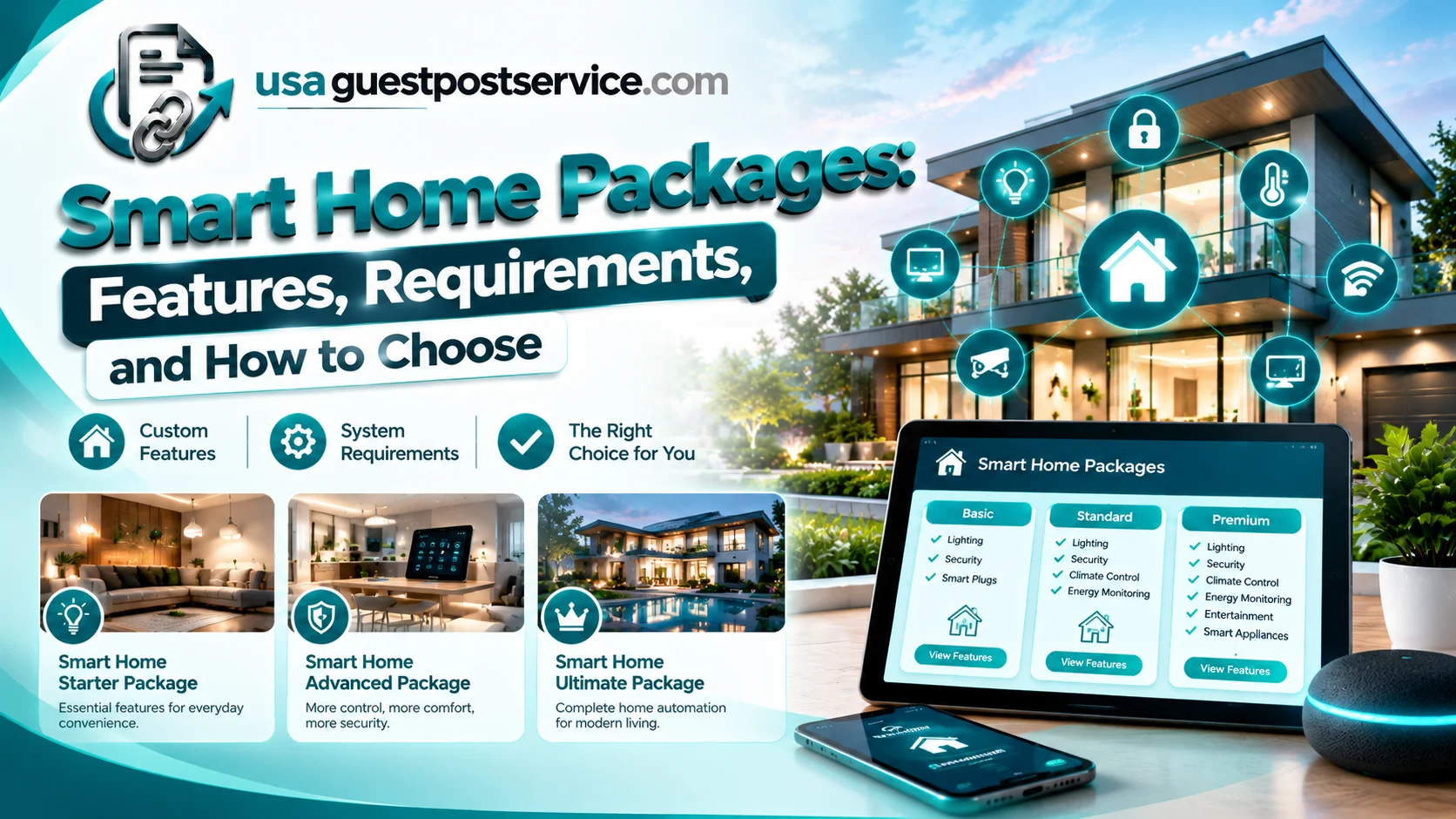
Smart home packages combine compatible devices, control systems, and setup options to make connected-home technology easier to plan and manage. Depending on the package, a setup may include smart lighting, security cameras, door sensors, a thermostat, a hub, mobile app controls, or installation and configuration services. The right package depends on the household’s needs, device compatibility, budget, and how much automation is required.
Some smart home packages are designed for beginners who want to control a few lights or plugs. Others focus on security, energy management, or whole-home automation. A professionally installed package may also include system configuration, testing, and ongoing support. Understanding what is included—and what must be purchased separately—helps homeowners compare options and avoid paying for features they do not need.
What Are Smart Home Packages?
Smart home packages are bundles of connected devices, software, control equipment, or installation services designed to provide a defined set of home automation functions.
A package may be sold as a ready-to-use kit, a manufacturer-specific bundle, a homebuilder’s included feature, or a customized solution assembled by an installer. The equipment and services can vary considerably between providers.
For example, a starter package might contain smart bulbs, a smart plug, and app-based controls. A security-focused package might include a video doorbell, compatible camera, door sensors, and a smart lock. A more comprehensive home automation package could integrate lighting, climate controls, shading, and security through a central controller.
There is no single universal list of items that every smart home package must contain. Some packages include hardware only, while others cover installation, device pairing, automation routines, and support.
Before comparing smart home technology packages, identify the functions you want and check the complete list of included products. A package that looks inexpensive may require additional equipment or paid services to deliver the experience you expect.
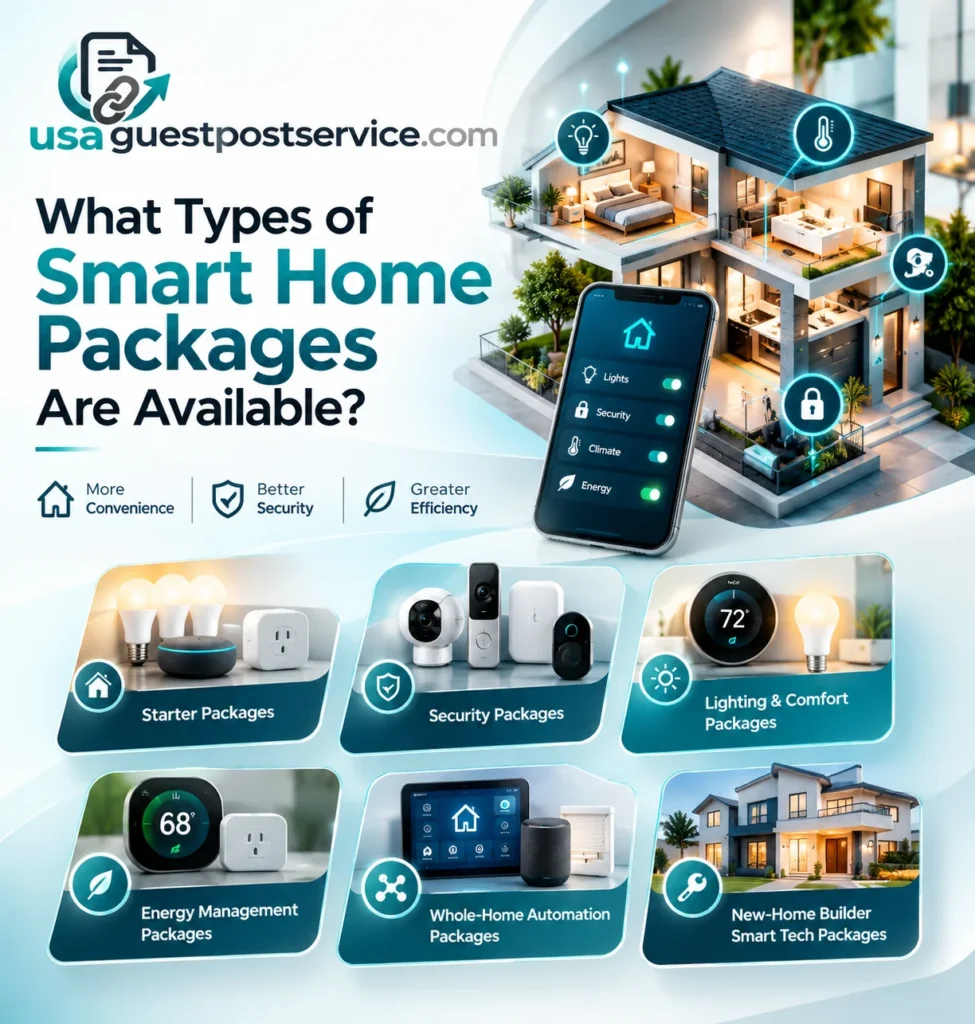
What Types of Smart Home Packages Are Available?
The most useful way to compare smart home packages is by looking at the household needs they address. Package labels are not standardized across the industry, so always verify the actual components and services offered.
Smart Home Starter Packages
A smart home starter package provides a simple introduction to connected-home technology. It may combine a few smart lights, connected plugs, a speaker or controller, and a mobile app.
This type of bundle is appropriate for homeowners who want to try basic automation without investing in a complete system. Depending on compatibility, users may be able to control selected lights, create schedules, or operate supported devices through voice commands.
Starter kits are often easier to configure than larger systems, but compatibility remains important. Check whether a hub is required, whether the included devices work together, and whether additional products from other brands can be added later.
Smart Home Security Packages
A smart home security package focuses on monitoring and access management. It may include video doorbells, security cameras, motion sensors, door and window sensors, smart locks, or a compatible alarm controller.
The main benefit is having related devices organized around a defined security goal. For instance, a camera may support video monitoring while a door sensor provides an alert when an entrance opens.
However, a security package does not automatically include professional monitoring, emergency response, cloud recording, or every advanced camera feature. These services may require compatible hardware, a subscription, or a separate agreement.
Review the included equipment, notification features, recording options, installation requirements, and privacy settings before choosing a bundle.
For a closer look at monitoring equipment and its functions, explore this smart home monitoring guide.
Smart Lighting and Comfort Packages
Smart lighting packages focus on connected bulbs, switches, dimmers, and lighting controls. Some home automation bundles also include a compatible thermostat or sensors to manage selected comfort-related functions.
These packages can support schedules, lighting scenes, and convenient control through compatible apps or assistants. Depending on the equipment, users may be able to adjust lights, change supported temperature settings, or coordinate certain functions through routines.
Thermostat compatibility should be confirmed before purchase because heating and cooling systems differ. The package should also explain whether existing switches, wiring, and fixtures can be used or need modification.
Smart Home Energy Management Packages
Energy management packages may combine compatible thermostats, connected lighting, smart plugs, energy-monitoring equipment, and automation controls.
The purpose is to make selected aspects of household energy use easier to monitor or manage. For example, a homeowner may use schedules to control compatible devices or review information from supported energy monitors.
A connected device alone does not guarantee lower utility bills. Actual results depend on equipment efficiency, home conditions, settings, weather, and household behavior.
Before choosing a package, check which devices actually measure or report energy use and which only provide remote switching or scheduling.
Whole-Home Automation Packages
A whole-home automation package brings several connected functions into a coordinated system. Depending on the design, it may include lighting, climate controls, security equipment, motorized shades, entertainment devices, networking hardware, and a central controller.
The system may allow users to operate compatible devices through one interface or create routines that coordinate multiple functions.
Whole-home automation is particularly relevant when the property has several device categories or when the homeowner wants a consistent control experience across multiple rooms.
These packages typically require more planning than basic kits. Device compatibility, wiring, network coverage, programming, installation, and future maintenance all deserve attention.
New-Home Builder Smart Tech Packages
Some homebuilders include selected smart features in a new home or offer additional products through a design center. These packages may include smart thermostats, door locks, connected appliances, video doorbells, lighting controls, or network equipment.
The exact selection can depend on the builder, community, floor plan, available upgrades, and purchase agreement. A builder’s included smart technology should not be assumed to match a standalone home automation bundle.
For example, the KB Home smart tech package is a brand-specific search term associated with smart features and options offered through KB Home. KB Home’s current smart systems information describes features such as smart thermostats, connected appliances, and smart door locks, while noting that product availability should be checked with the local Design Studio.
Anyone buying a new home should verify the exact included products, optional upgrades, installation arrangements, and ongoing services for the specific property.
Smart Home Package Comparison
The following table provides a practical comparison of common package types. These are illustrative package structures, not standardized industry bundles or a claim that every provider offers these exact combinations.
| Package Type | Common Inclusions | Best Suited For |
| Starter package | Smart bulbs, plugs, app controls, basic accessories | Beginners and smaller setups |
| Security package | Cameras, doorbell, sensors, selected access controls | Monitoring and entry management |
| Lighting and comfort package | Smart switches, bulbs, compatible thermostat, sensors | Lighting and temperature convenience |
| Energy management package | Compatible thermostat, energy-monitoring devices, controls | Monitoring and managing selected energy use |
| Whole-home package | Controller, multiple device categories, integration and configuration | Multi-room automation |
| Builder smart tech package | Selected built-in or optional connected-home features | New-home buyers |
The package that provides the best fit is the one that meets your requirements without adding unnecessary equipment. Compare the exact products, supported functions, installation scope, and ongoing commitments instead of relying on the package name alone.
What Are the Essential Smart Home Requirements?
Before purchasing a smart home automation package, check whether the property and devices meet the system requirements. A bundle can contain high-quality products and still be unsuitable if the necessary connections, power, or compatibility are missing.
Connectivity and Network Requirements
Many connected devices rely on a home Wi-Fi network, while some use other communication technologies or connect through a hub or bridge. Check the product specifications for supported network bands, coverage expectations, and internet requirements.
A large property or a setup with many connected devices may also need improved network coverage. Dead zones, unreliable connectivity, or poorly placed equipment can affect device responsiveness.
Device and Platform Compatibility
Confirm that the included devices can work with the controller or ecosystem you plan to use. Compatibility should be checked at the product-model level rather than inferred from similar branding.
Some devices require a manufacturer app, account linking, a dedicated bridge, or a compatible smart home hub. Others connect directly through a supported platform.
When choosing a package that may be expanded later, verify whether new devices can be added without replacing existing equipment.
Power, Wiring, and Installation Conditions
Battery-powered sensors may have different installation requirements from connected light switches, thermostats, or fixed security equipment.
A smart thermostat, for example, must be compatible with the property’s heating and cooling system, wiring, and power requirements. Some installations may need an adapter or professional assessment.
Similarly, adding smart switches or hardwired equipment may require qualified electrical work. Confirm what installation tasks are included and whether additional work will be charged separately.
Controller, Software, and Account Requirements
Some smart home systems use a central hub or controller to coordinate connected products. Others use compatible apps or cloud platforms to manage devices.
Review whether the package requires subscriptions, separate accounts, particular controllers, or software support. Also check how the system behaves if internet access is unavailable or a service is discontinued.
Privacy and Security Requirements
Smart home packages may include cameras, microphones, access controls, and sensors that collect or process information about household activity.
Use strong, unique account passwords and enable available multifactor authentication. Review device permissions, software updates, recording settings, and the manufacturer’s security-support policy.
A package should be evaluated for its security and privacy features as well as its convenience. Do not assume that a bundled device is automatically secure simply because it is sold as part of a complete system.
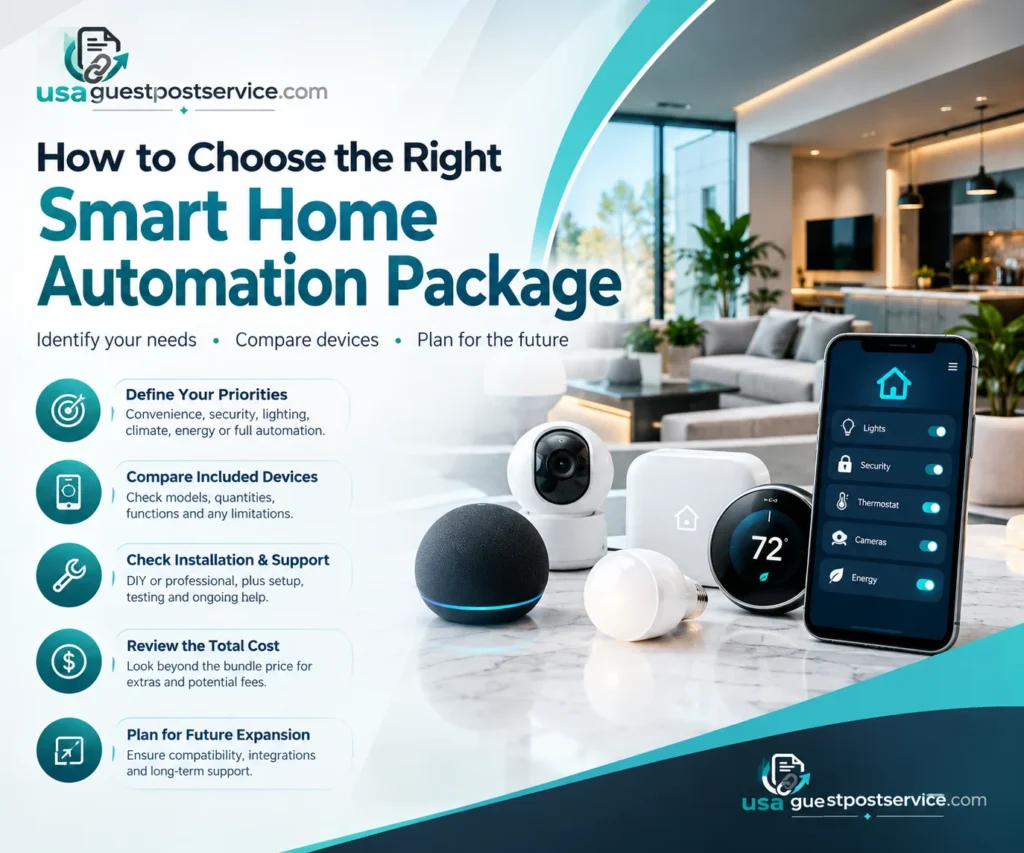
How to Choose the Right Smart Home Automation Package
Choosing a home automation package starts with identifying the tasks you want to simplify. Once the objective is clear, it becomes easier to compare devices, system requirements, and installation options.
Define Your Main Priorities
Decide whether your primary goal is convenience, security, lighting control, climate management, energy monitoring, or broader automation.
A homeowner who wants to control a few lights may not need a centralized whole-home system. Someone integrating several rooms and device categories may benefit from a controller and a more coordinated installation.
Compare the Included Devices
Read the complete package inventory. Check the product models, quantities, supported functions, required accessories, and any limitations.
A package that includes cameras, for example, may not include cloud recording or professional monitoring. Similarly, a thermostat bundle may include the hardware but exclude installation or compatibility adjustments.
Understanding these differences helps you avoid paying extra for essential components that were not included in the advertised package.
Check Installation and Support
Determine whether the package is designed for DIY setup or professional installation. If installation is included, ask who will perform the work and whether configuration, testing, and handover instructions are part of the service.
For more complex systems, clarify how future troubleshooting, replacement equipment, software changes, and support visits will be handled.
The site’s smart home installation category provides further information about installation-related topics and planning considerations.
Review the Total Cost
Compare the complete cost rather than just the advertised bundle price. Depending on the package, additional expenses may include installation, wiring, a hub, network upgrades, subscriptions, batteries, or optional accessories.
Ask the provider to identify what is included, what is optional, and which conditions could lead to extra charges.
This approach allows you to compare packages based on their actual value and required investment.
Plan for Future Expansion
Your requirements may change as you add rooms, replace appliances, or introduce new automation routines. A suitable package should support your realistic plans for expansion.
Check the available integrations and the long-term support offered for the products. Avoid buying equipment solely because it promises compatibility with every possible future device; instead, verify the features you expect to use.
For an overview of connected products and their roles, see this guide to smart home devices and products.
How Much Do Smart Home Packages Cost?
Smart home package costs depend on the hardware, number of rooms, installation requirements, system complexity, and services included. A simple starter kit has a different cost structure from a professionally installed package that integrates security, lighting, climate control, and multiple controllers.
An advertised package price may cover devices only, or it may include installation and configuration. Always establish which applies before comparing options.
When reviewing smart home package pricing, consider the following cost components:
- Hardware: Devices, controllers, hubs, sensors, and any required accessories.
- Installation: Mounting, wiring, network preparation, and other on-site work.
- Configuration: Pairing devices, setting up scenes, creating routines, and testing integrations.
- Ongoing costs: Subscriptions, monitoring services, support plans, replacement batteries, and maintenance where applicable.
Not every package includes every component. Request an itemized quote that identifies included services, optional upgrades, exclusions, and applicable taxes.
Smart Home Devices That May Increase Property Value
Smart home devices that increase property value are often discussed by homeowners planning upgrades before selling. However, no particular smart home package guarantees a higher resale price. Buyer preferences, property type, local market conditions, system quality, and ease of use all influence whether an upgrade adds meaningful appeal.
Connected security, integrated lighting controls, and climate or energy management may attract buyers who value convenience and a well-organized home. Professionally installed systems can also be easier to document, operate, and hand over to a new owner.
Standalone smart bulbs and plugs may still be useful for everyday convenience, but purchasing more devices does not automatically produce a better financial return. Consider the likely benefit to occupants and prospective buyers before investing in a large package.
If a home is being prepared for sale, ensure that the devices work properly, document the included equipment, and explain how the next owner can access and manage the system. Keep account security in mind when transferring ownership.
Should You Choose a DIY Kit or a Professionally Installed Package?
A DIY smart home kit can be a practical choice when the setup involves compatible plug-in devices, simple wireless controls, and straightforward configuration. It offers flexibility for homeowners who prefer to install and manage the system themselves.
A professionally installed smart home automation package may be more appropriate when the project includes several device categories, hardwired equipment, extensive integration, or customized routines. Professional installation can also help with compatibility checks, system testing, and documenting how the completed system works.
Neither approach is automatically better for every household. Compare the complexity of the project, your installation skills, the support available, and the total cost.
If your package includes cameras or access controls, the site’s home security installation resources offer additional context on security-related equipment and installation considerations.
Frequently Asked Questions About Smart Home Packages
What Does a Smart Home Package Usually Include?
A smart home package may include connected devices, a controller or hub, app configuration, installation, and basic automation routines. The exact contents depend on the provider and package type, so always review the itemized list.
What Is the Difference Between a Smart Home Package and a Home Automation Package?
The terms often overlap. A smart home package may focus on a collection of connected products, while a home automation package may place greater emphasis on configuration and coordinated actions. Neither term has a universally standardized set of inclusions.
What Are the Basic Smart Home System Requirements?
Most setups require compatible devices, an appropriate control interface, reliable connectivity, and a suitable power source. Some also require a hub, bridge, manufacturer account, subscription, or professional installation. Requirements vary by product.
Is a Smart Home Package Worth It?
A package can simplify device selection and setup when its included products address your needs and work together. Compare the full cost, available functions, compatibility, and ongoing requirements against buying individual devices or choosing another bundle.
Does the KB Home Smart Tech Package Come With Every New Home?
Not necessarily. KB Home’s smart systems and available options vary by property and local Design Studio. Buyers should confirm which devices and services are included in the specific home purchase and which features require additional payment.
Choose a Smart Home Package That Fits Your Home
Smart home packages can simplify the process of choosing connected devices, planning automation, and coordinating installation. The best option depends on what you want to control, which system requirements your property can meet, and whether you need a starter kit, a security-focused bundle, or a more comprehensive home automation solution.
Before purchasing, compare the included equipment, installation scope, compatibility, privacy controls, support arrangements, and total cost. Avoid paying for features you do not need, but make sure the package includes everything required to deliver the intended functionality.
A well-planned package should make the home easier to manage, leave room for practical expansion, and provide a clear understanding of how the system will work after installation.